
Documents e-signed in Client Engager, as with other practice management, tools takes the approach of the client signing off the whole document by typing in their name to a box at the bottom of the widow where they view the document requiring e-signing.
Once signed the document is assigned a front cover as shown below. This cover details all required details for the e-sign to be classed as legal.
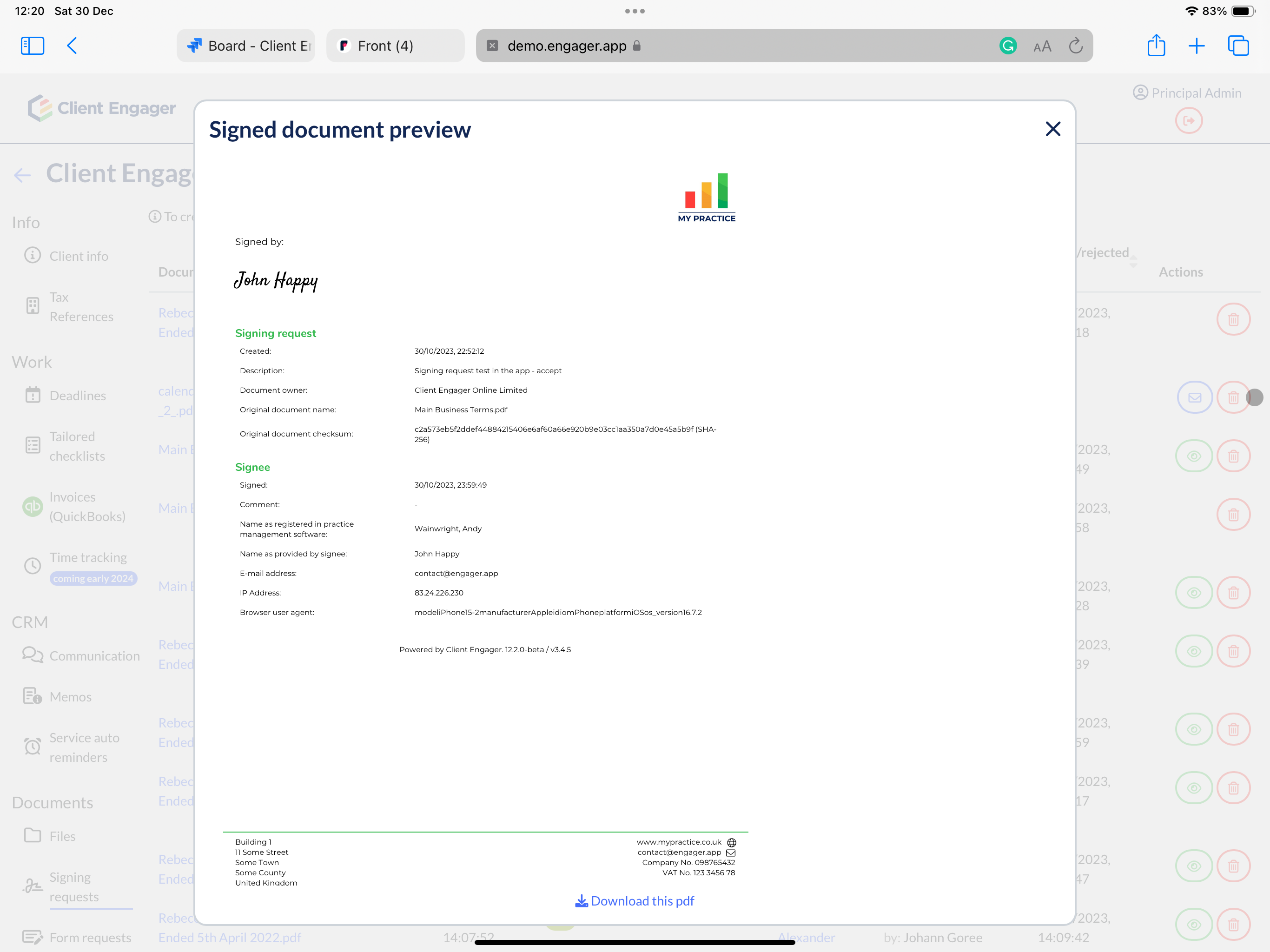
The Client Engager e-sign tool does not allow you to state where the signature should go on the document or allow multiple signature locations like best in class tools often do.
Clients can only sign documents using the Client Engager e-signing tool if they have a client portal.
Comments
0 comments
Please sign in to leave a comment.