
Different software systems store addresses in different formats. For example, some may use two lines for the street, separate fields for town and postcode, or apply different country formats (e.g. “UK”, “United Kingdom”, “Great Britain”).
When Engager compares an address with the version held on Companies House, even small differences in formatting can trigger a discrepancy alert.
In many cases, users accept these updates so that Engager matches Companies House. However, this can create a knock-on effect with other integrated systems (such as QBO, Xero, FreeAgent, AD Fin, or TaxCalc), potentially resulting in a recurring cycle of mismatched data.
To help prevent this, we’ve introduced the option to ignore address updates from Companies House. This allows you to keep your Engager address unchanged and maintain consistency with your other connected systems, avoiding ongoing mismatch loops.
How to Ignore the Update from Companies House
When you receive the notification bell, with the message 'Updates to clients data have been received from Companies House and await confirmation'
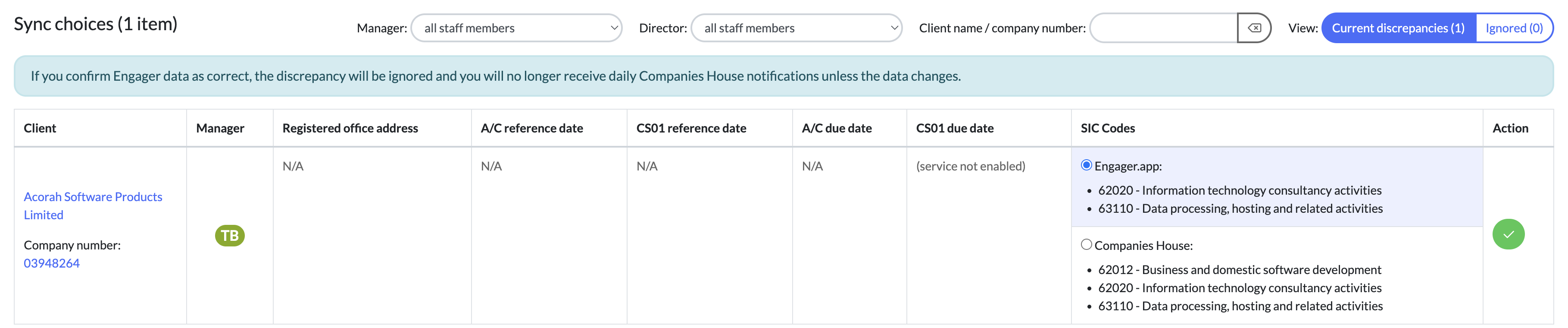
You'll be taken to a similar screen as below.
We'll display the Client and the relevant fields. It will be clear to see where there's a mismatch as you'll see the a button to select, for either Engager.app or Companies House.
Select the set of data you wish to use with the green tick to confirm your choice.
The data that wasn't selected, then moves to 'ignored'
Example
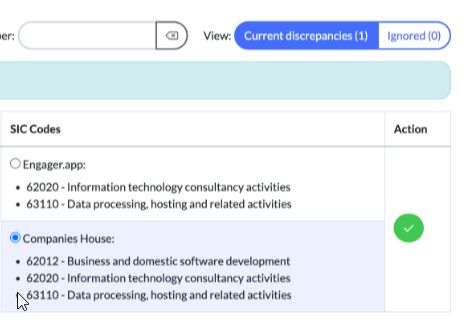
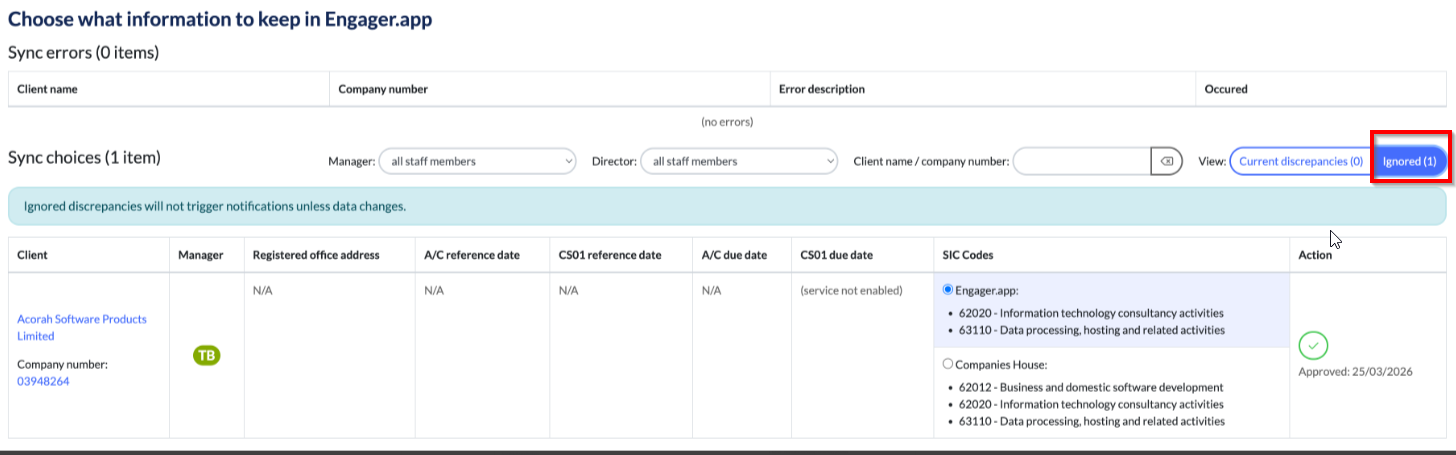
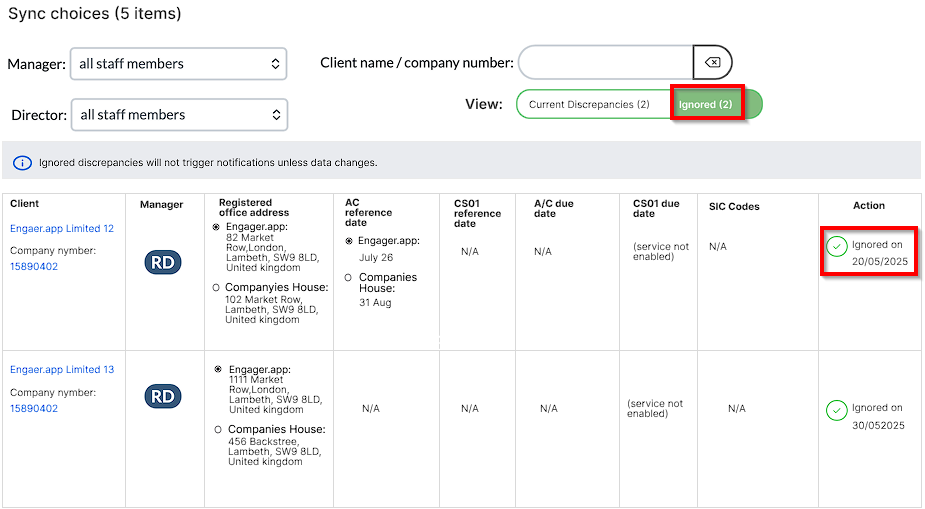
If you've made a mistake, select the Ignored section
Then change from Engager.app to Companies House and then the green tick to save the changes
Comments
0 comments
Article is closed for comments.