
Step-by-step guide
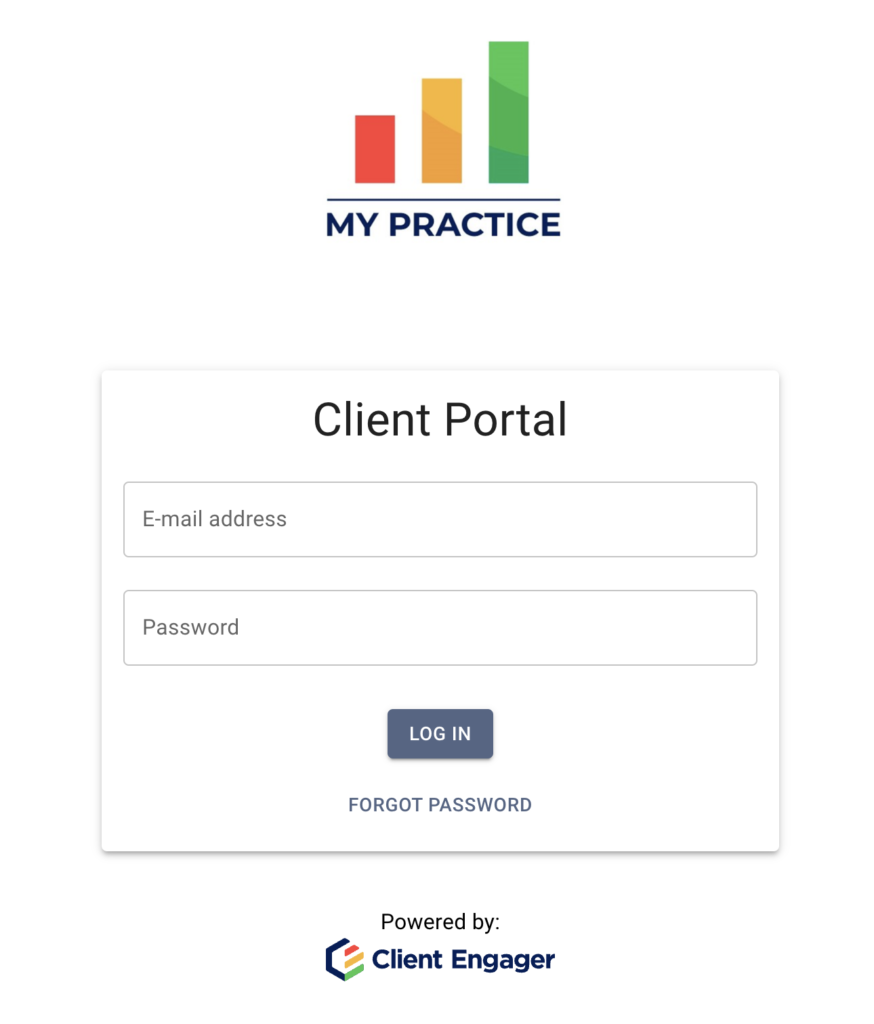
Step 1
After the account is set up, log into the Client Portal on another device, such as a computer or a tablet. The login screen will look similar to the attached screenshot but will contain the logo or practice name of your accountant.
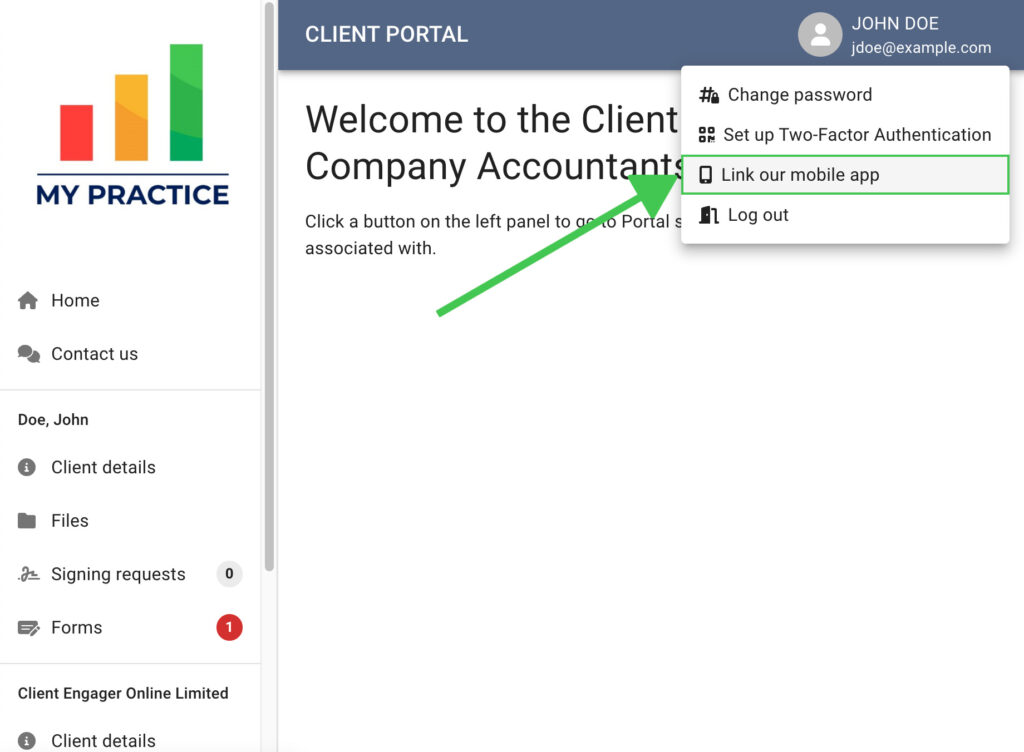
Step 2
Click on the user icon in a circle next to your name in the top-right corner of the window to open a dropdown menu.
Then click on the ‘Link our mobile app’ option from the menu.
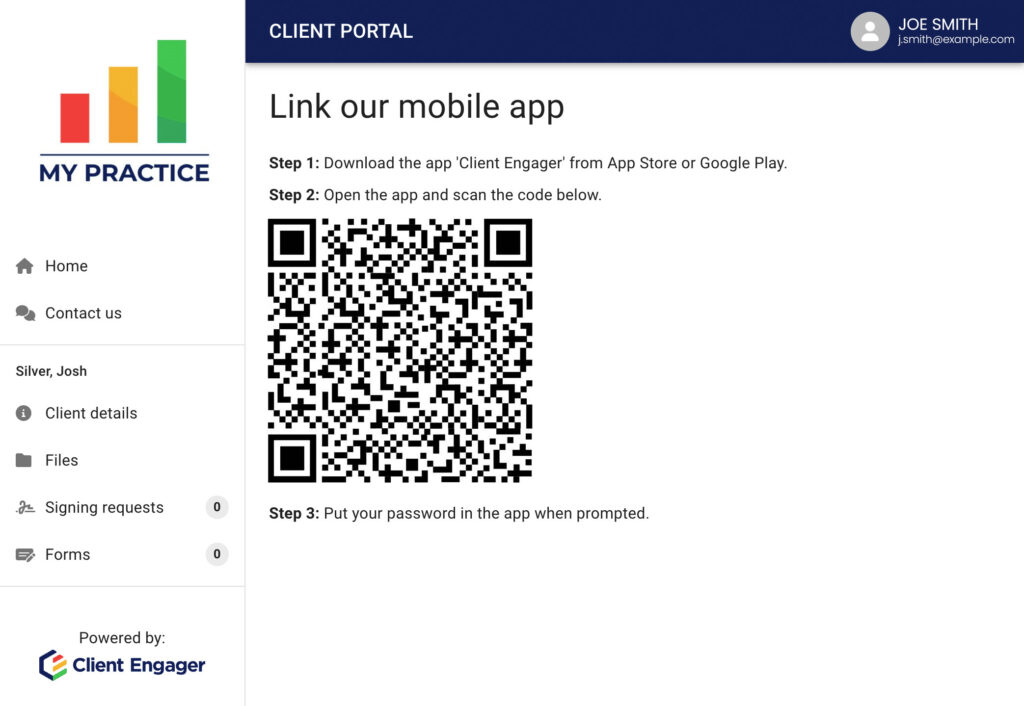
Step 3
Follow the steps on the screen to complete your app linking process.
It's that simple
Enjoy using the app!
Comments
1 comment
Is there a way to generate the QR code when signed in as a practice owner? I don't see it.
Please sign in to leave a comment.