
-
Navigate to 'Settings > Message Templates' and select 'New Template'.
-
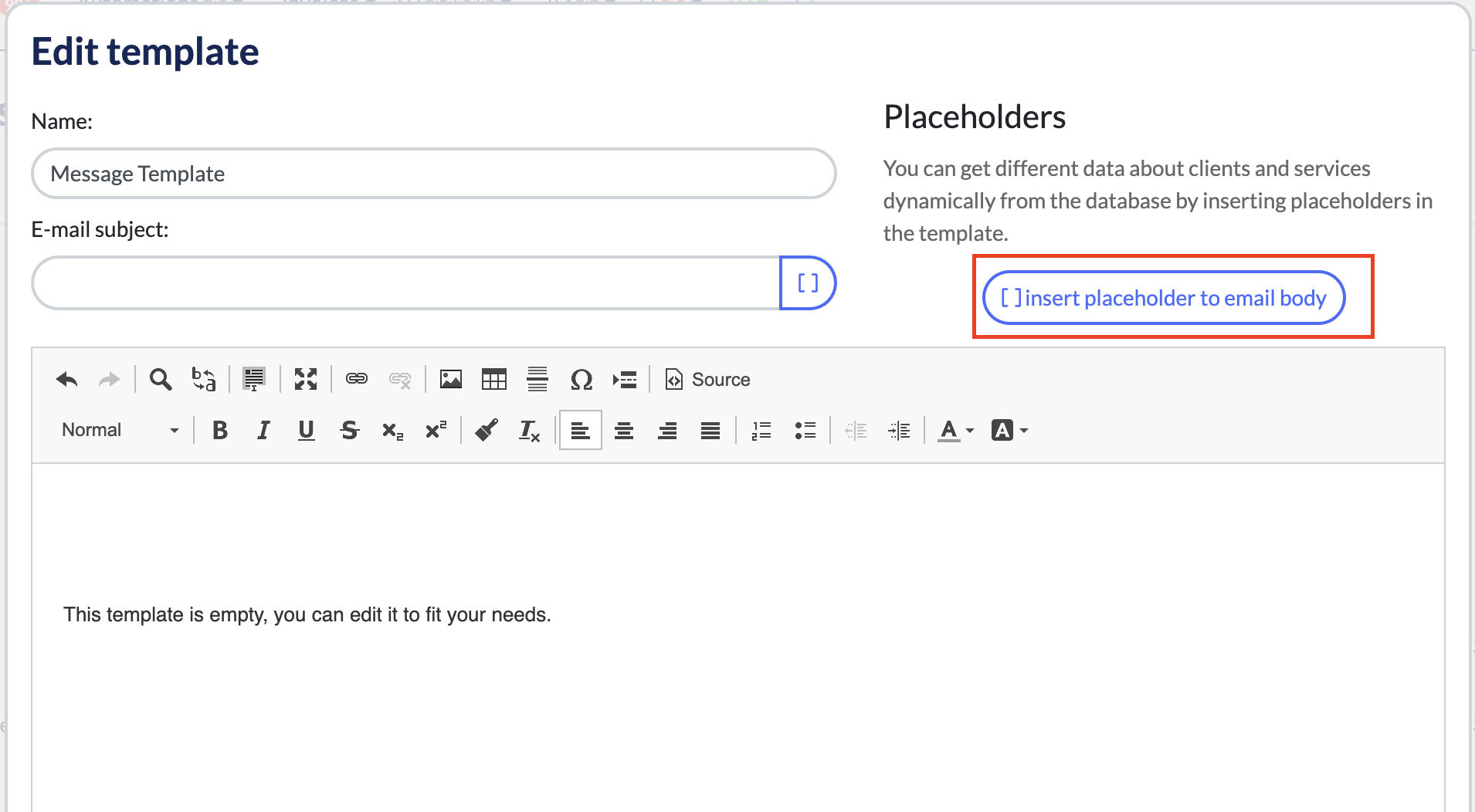
Select 'Insert placeholder to email body'
-
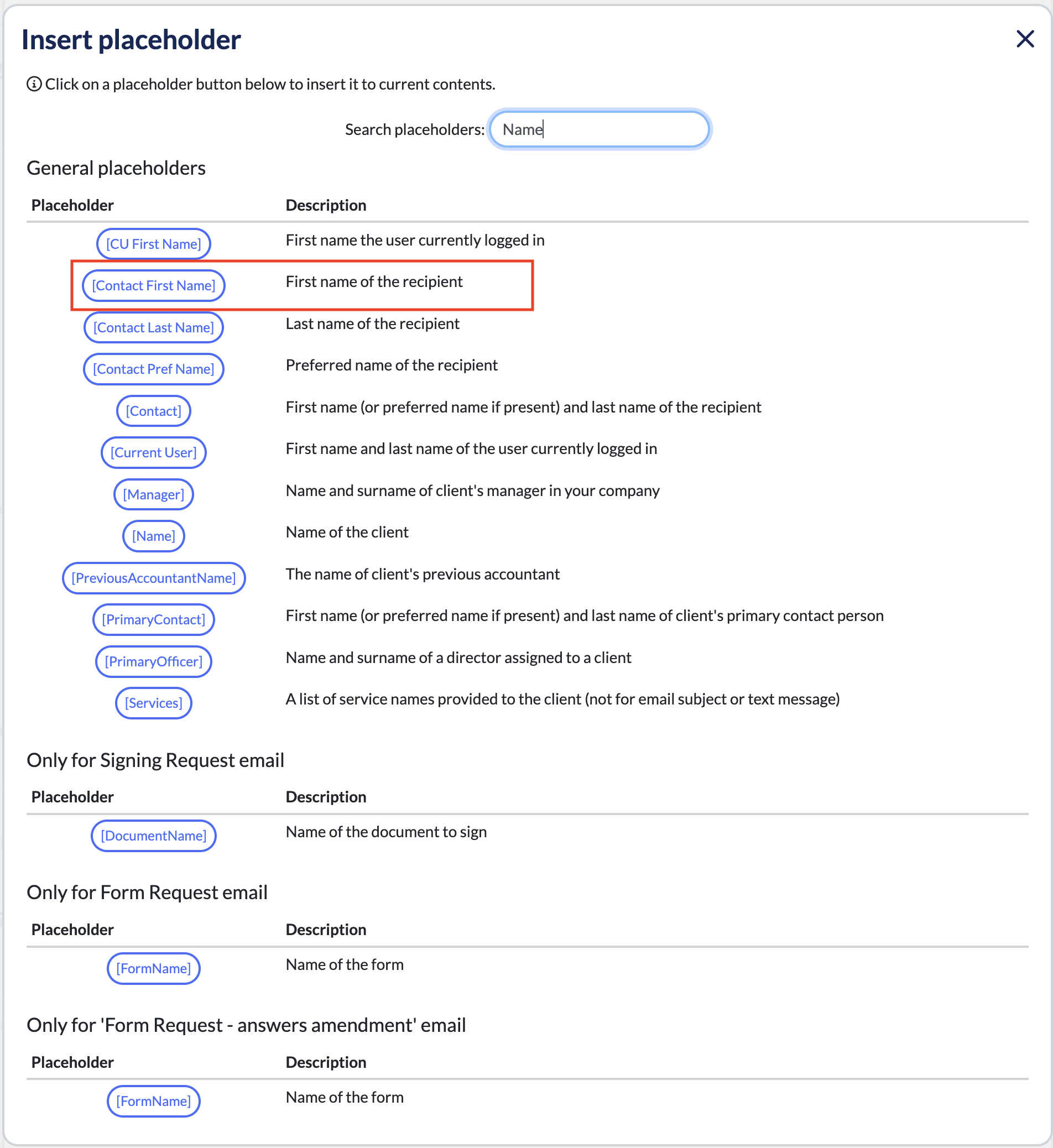
Find the placeholder you would like to add to your message template and double click it.
-
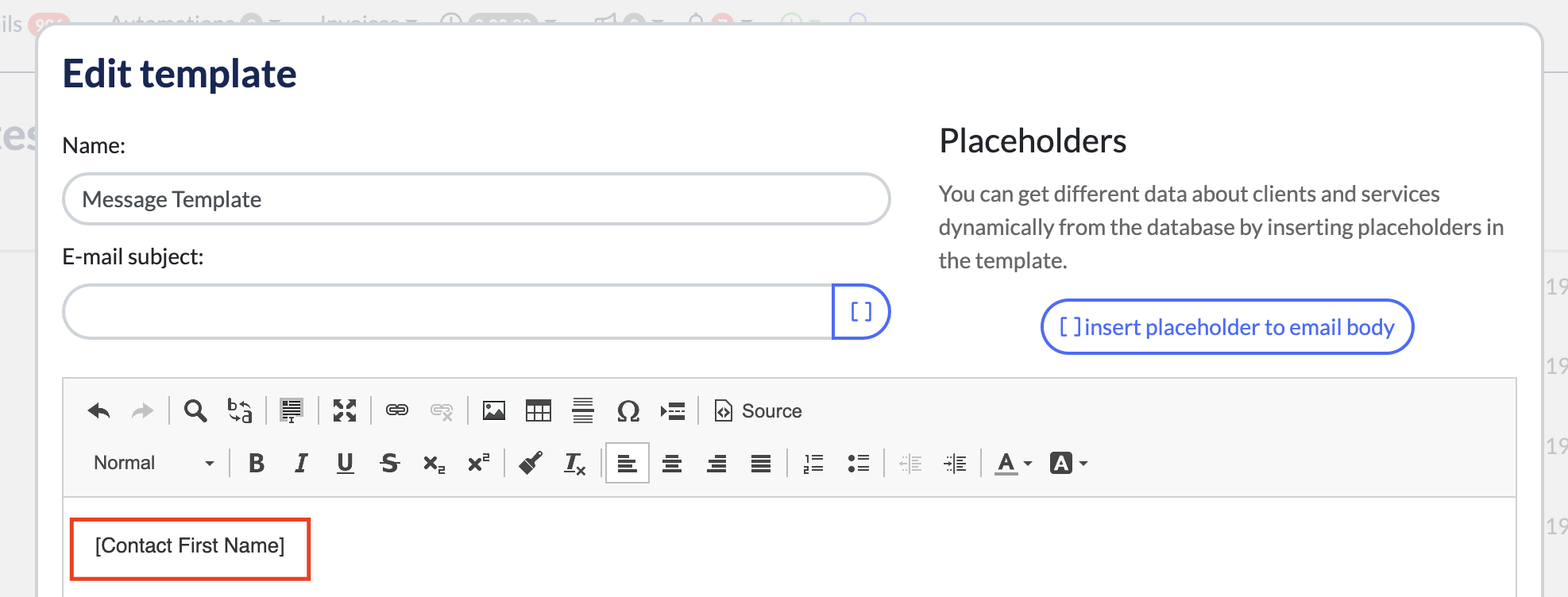
You'll then see the placeholder added to your message template.
Comments
0 comments
Article is closed for comments.