
-
Navigate to 'Settings'
-
On the left menu, scroll down to the 'Communication' section and then select 'Message Templates'
-
Select 'New Template'
-
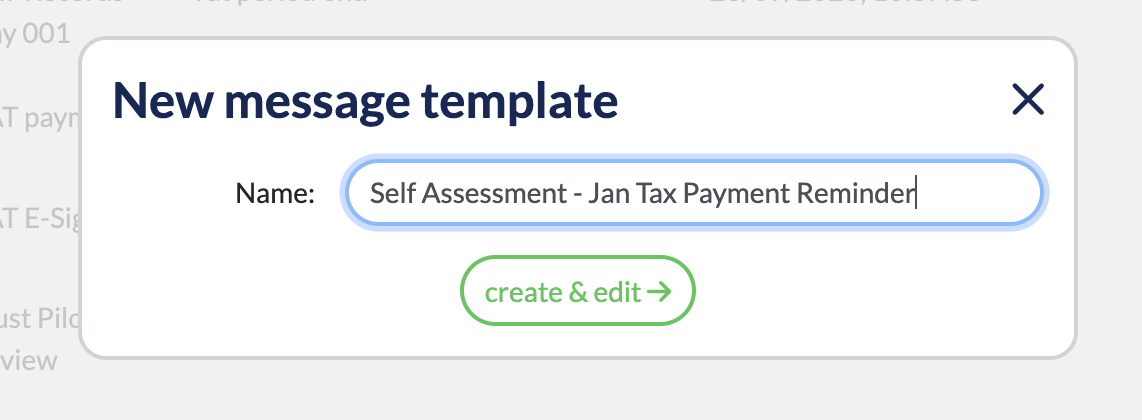
Enter a name for your new template:
-
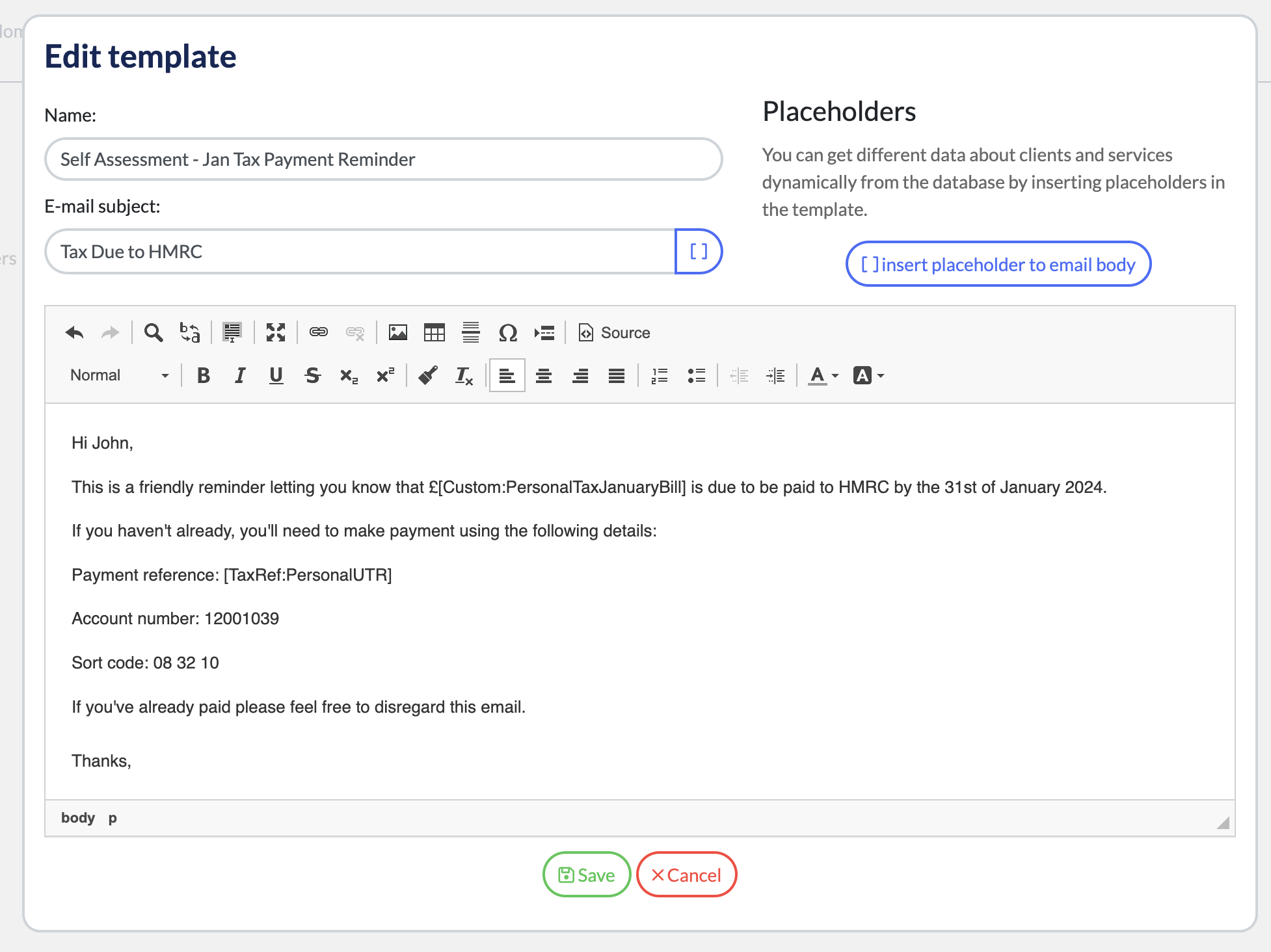
You can then draft your email subject and content:
-
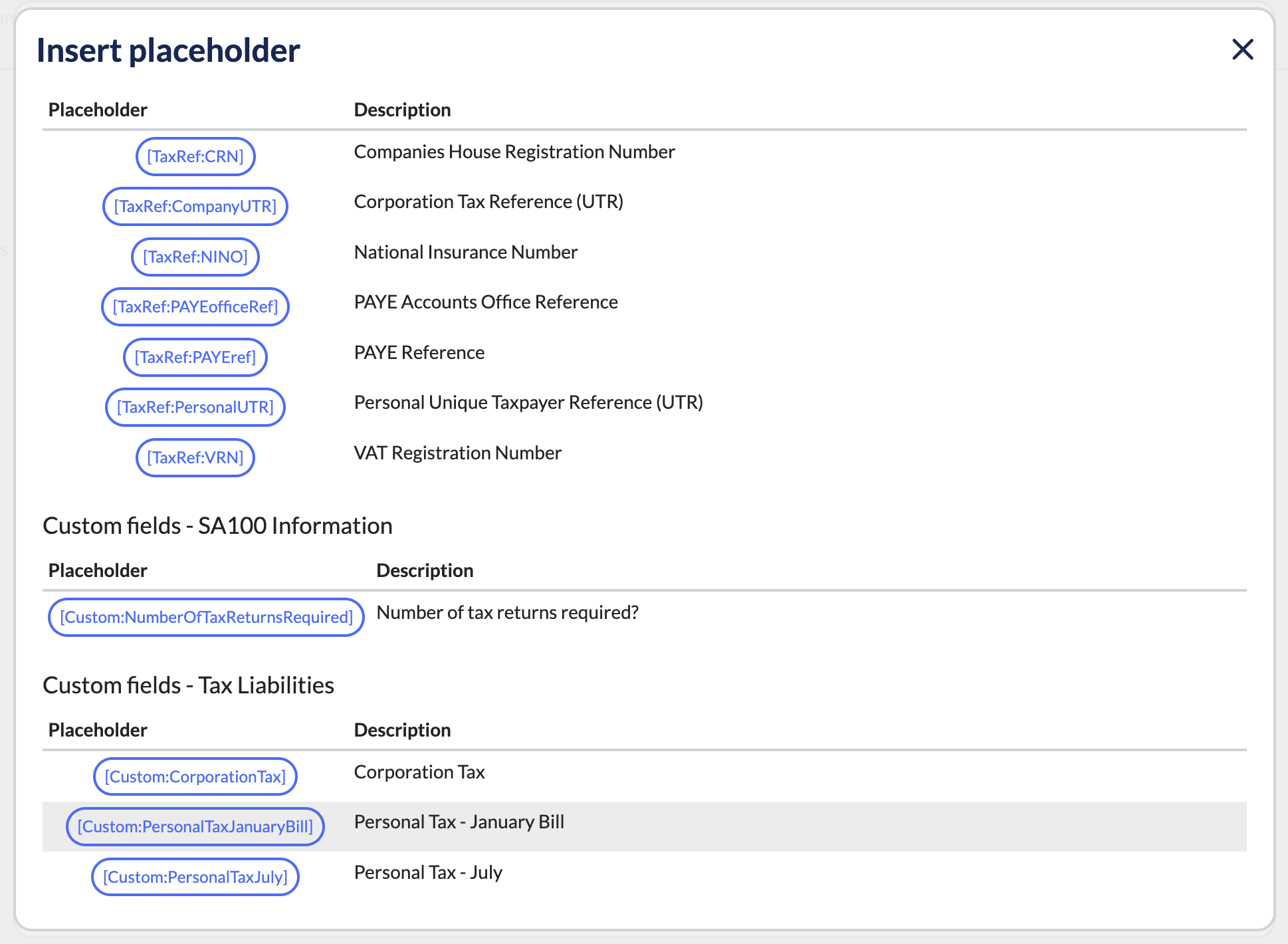
You can also use placeholders which will allow you to draft a single email which will be automatically personalised to each individual recipient:
-
Each custom field you create will also create a placeholder field, unlocking the potential for you to build incredibly powerful automated emails and workflows.
Reference - Using your new templates moving forwards and learn more about email automations - https://help.engager.app/hc/en-gb/articles/18592201576210-8-of-10-Enhance-Communication-with-Custom-Email-Templates
Thanks for reading, have fun building!
Comments
0 comments
Please sign in to leave a comment.