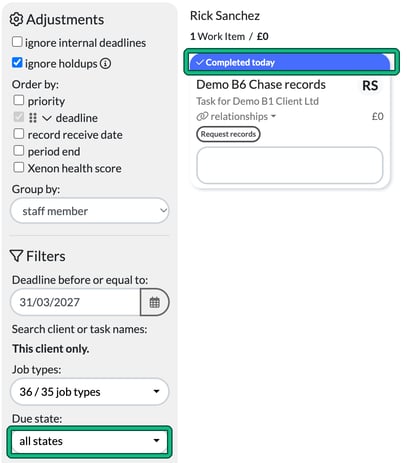
A completed task that isn't set to repeat can't be revived, edited or undone. You can still find it: on your Jobs page, filter Due state: to completed custom tasks.
Tasks in Engager are great: they're your 'to do' list and your reminders. If you've not started using these in your Engager account so far, we would recommend reading through our guide, Tasks, Reminders and Managing your To Do List.
Tasks can repeat, they can be assigned to other team members, they can link to emails: they're magical.
What happens when a task is completed
Once a task has been completed and hasn't been set to repeat, the task has served its purpose and it's done. You won't be able to revive, edit or undo it: complete, put on hold and edit task are no longer offered.
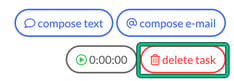
You can still open the task to comment (+ new comment) and to delete task, and compose text, compose e-mail and the timer stay available.
Find completed tasks
You can always track completed tasks:
- Go to your Jobs page.
- In Job types:, make sure Task is included.
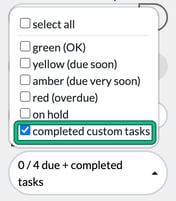
- In Due state:, untick select all, then tick completed custom tasks.
You'll now see your completed tasks with a blue header, for example "Completed today".
Completed tasks are also included in the default all states, going back to the Oldest completion date for custom tasks date.
Remember, a completed task will still sit against the client's record. On the client's Jobs page, you just need to make sure completed custom tasks are included in your Due state: filter (for example all states).