
We're often asked whether you can see all the fees associated with a client. Of course!
You firstly need to make sure that your client has had the fees entered correctly on the services, as we know some users don't do this; they leave them as zero. Each enabled service in the client's Services & pricing step has a Fee period:, a Fee: and an Annual fee:.
See fees on the Clients list
- Go to Clients and open the columns menu.
- In the Fees section, mark the fees required. You can choose Annual fees, Future total annual fees and Total annual fees, and there's one tick per service.
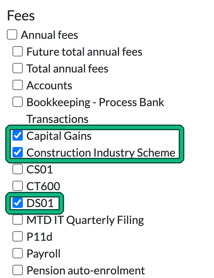
- Then if you scroll a little further to the right on the Clients list, you'll see the fees broken down under the Annual fees columns, with a TOTAL: row at the top.
For a summary rather than a breakdown, the Clients list also has a fees menu, which shows Annual fees by client type or by service type, with a total.
See fees on a client record
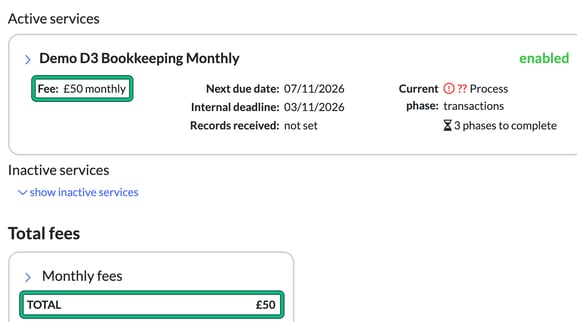
Additionally, if you click on the individual client record, you'll see the summary and then, on the same page, the breakdown:
- Total annual fees: at the top right of the client summary.
- Each active service shows its Fee:, for example £50 monthly.
- Total fees groups the fees by period, for example Monthly fees, each with a TOTAL.
If you're looking for fee reviews, see How do firms do fee reviews in Engager?