
Bulk Sending Forms
Need to contact multiple clients for their information or capture their Self Assessment information? Then use Bulk Sending Forms.
If you're looking to do this for Self Assessment specifically, read our comprehensive guide, Self Assessment Service, Forms, Payment Reminders, Payment on Account and Automation.
Sending Forms to Clients
Once your Self Assessment Form is ready, you can send it to clients in two ways:
1. Sending Forms Individually
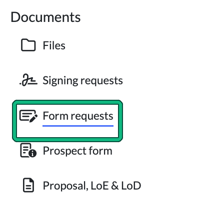
- Open the client and select Form requests under Documents on the left menu.
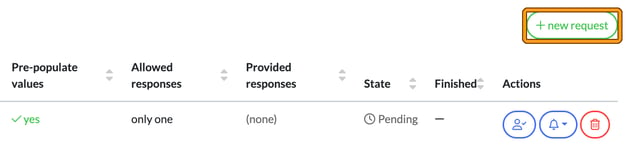
- Select + new request and complete the form request as usual. Saving the request doesn't email the client, so to send it, use the bell button in the request's Actions column and choose Notify by e-mail or Send push notification.
2. Sending Forms in Bulk
For a more time-efficient approach, send forms in bulk. Here’s how:
-
Filter Your Client List:
- Go to Clients and select filters.

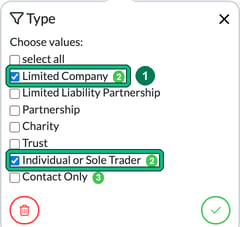
- Filter by Type (for example, individuals or limited companies).
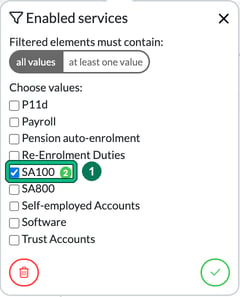
- Filter by Enabled services, selecting SA100.
- Go to Clients and select filters.
-
Select Clients:
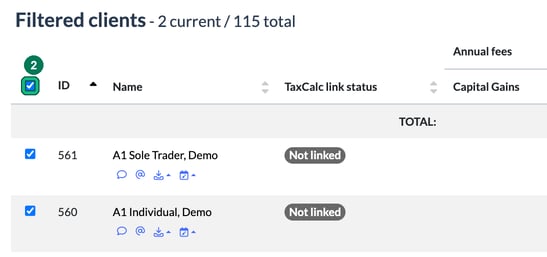
- Once your filters are applied, the list will display only clients with the Self Assessment service enabled.
- Use the top-left checkbox to select all filtered clients.
-
Create Form Requests:
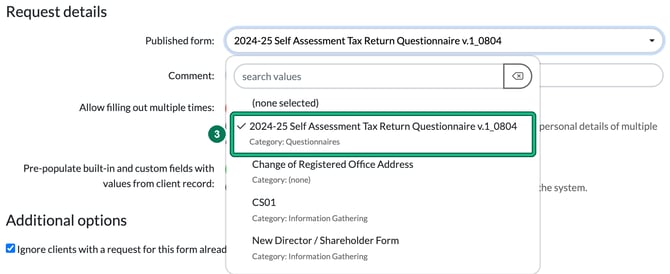
- Click bulk actions in the top-right corner and choose Create form request. This opens the Create form requests dialog.


- In the Published form field, select the Self Assessment form you want to send.
- Click bulk actions in the top-right corner and choose Create form request. This opens the Create form requests dialog.
-
Adjust Settings:
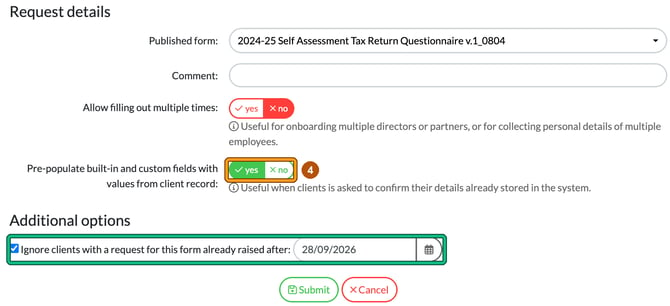
- Check that Pre-populate built-in and custom fields with values from client record is set to yes (it is by default) to streamline form completion for your clients.
- Ignore clients with a request for this form already raised after: is ticked by default, with a date one week earlier. Change the date if you need to, to avoid sending forms to clients who already received one after that date.
- Select Submit.
-
Notify Clients:
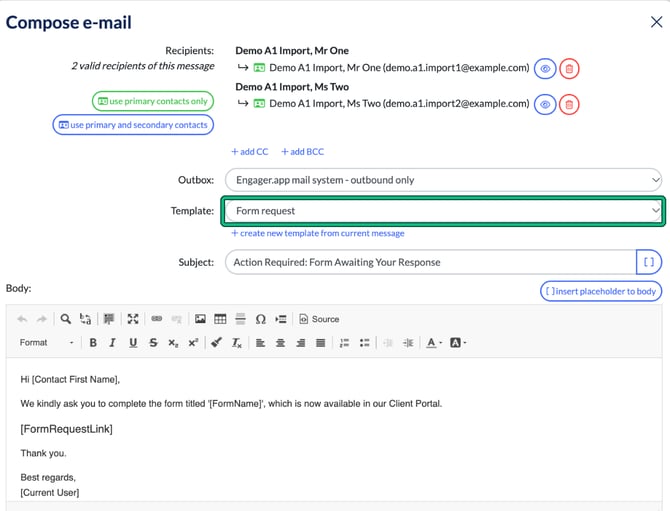
- After submitting the form requests, notify clients via email by selecting Notify clients via email (or select Send push notification).
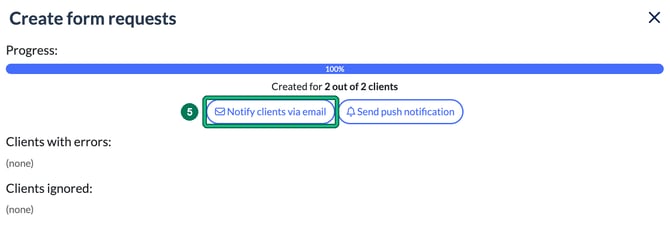
- Compose your email, and you can even include instructions for uploading details about self-employed earnings, expenses, or property income. Compose e-mail opens with the Form request template already selected.
- After submitting the form requests, notify clients via email by selecting Notify clients via email (or select Send push notification).
-
Send the Emails:
- Hit Send, and you’ve successfully emailed your entire Self Assessment client base in just minutes!
Key Takeaway: Bulk sending saves significant time, allowing you to reach all your Self Assessment clients in minutes.