
Engager currently sends automated emails from shared inboxes (shared company mailboxes) only. You can't yet send automated emails from an individual's personal inbox.
We have an extremely powerful, automated email facility within Engager which saves users thousands of hours in people power, every year. If you've not already set these up, read on: Setting Up Automated Emails / Global Auto Reminders.
Sending from a shared mailbox is also beneficial, as the responses to these emails can be accessed by your whole organisation, which helps stop things falling through the cracks.
Which mailboxes an automated email can use
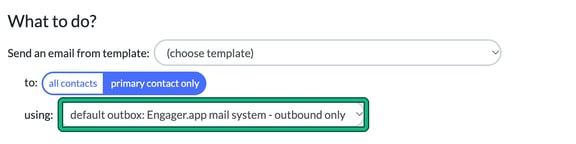
When you create an auto reminder (Settings > Jobs > Services > Global auto reminders > set up > + new), the using: field under What to do? offers only:
- Engager.app mail system - outbound only (the default outbox)
- Your own SMTP server - outbound only
- Microsoft 365 (Outlook) - shared company account
- Gmail - shared company account
The personal company account options you see in Compose e-mail aren't offered here.
What about personal inboxes?
We know that there are firms where the relationship between the accountant and the customer is key to lasting relationships. We also know from experience that end customers aren't always keen on 'generic looking' inboxes, so may not feel comfortable sending requested info or responding to them.
Sending automated emails from personal inboxes is planned, but it isn't available yet. Until then, choose a shared company account for your automated emails.