
We have released a new feature to happen slicken-up your processes even more!
Now, when your mark as a phase as completed, it'll update the overall Status of the job card, saving you time and also ensures the Status moves on accordingly - no more second-guessing whether the team have updated one and not the other, giving you more confidence with your workflow visibility.
To set this up, head to Settings - Jobs - Services
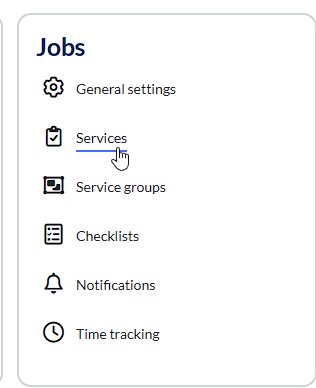
As we're editing a Service, we need to select the Edit pen

Now scroll down to Phases. You'll see that there's a new option under actions 'update status on completion to'
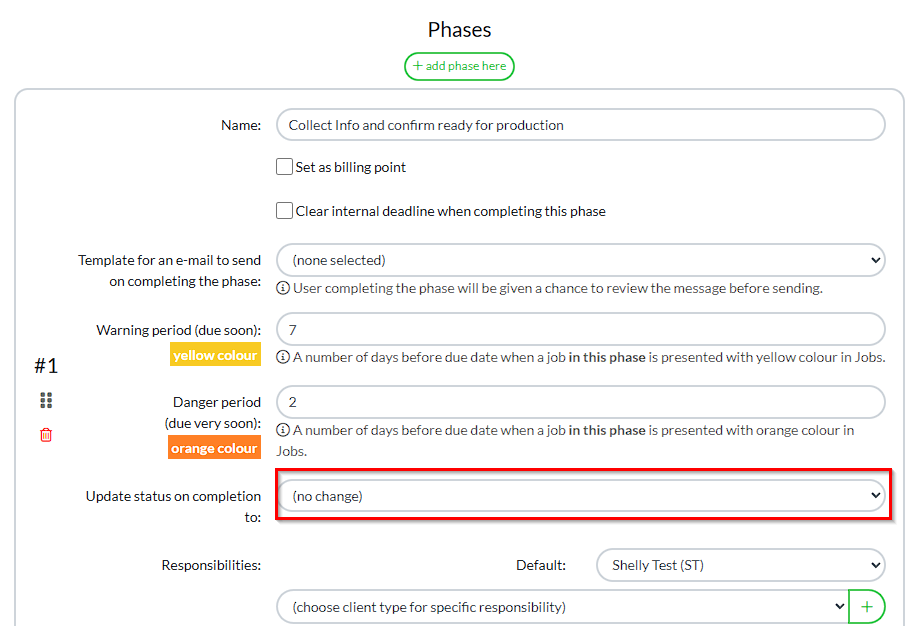
Here are the options that you have available and please note that these are hard-coded and can't be edited / changed 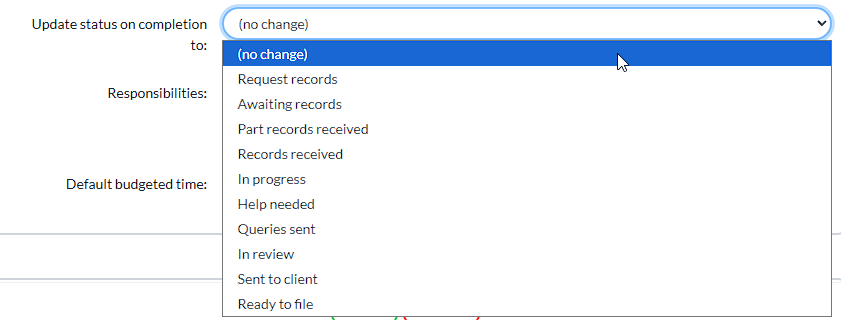
In this example, we're completing a Phase that is confirming we've received the bank statements / assets and that the Year End accounts can now be started. So I'm going to use 'records received'
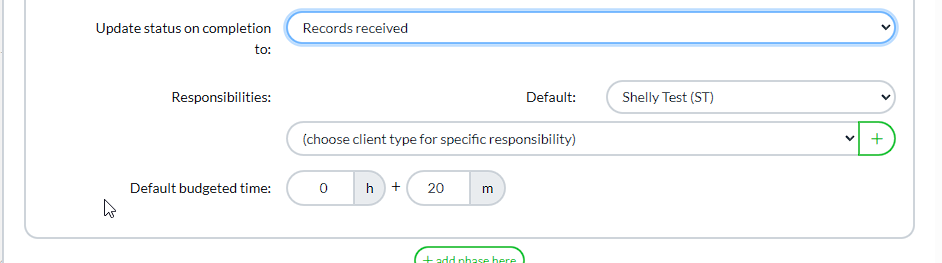
Then once my Phase of 'produce accounts' has been completed, I would need to update the Status to reflect that the accounts are now in Review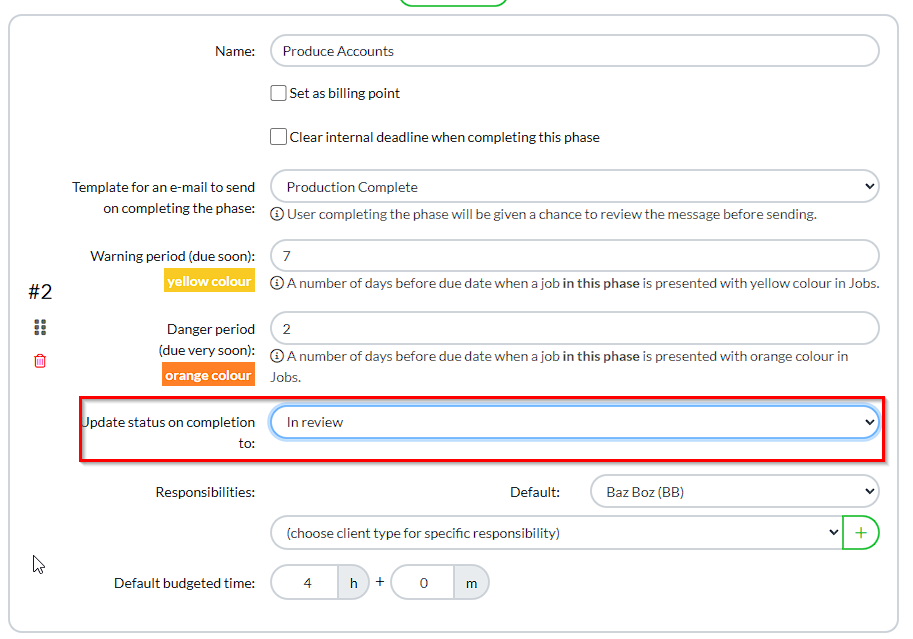
You can now update all of your Phases to update your Statuses, saving you time and also ensuring accuracy is maintained throughout all of your workflows.
The excellent news is, once set, this will update all of your exiting jobs and workflows - you won't have to go back through these to update.
Comments
0 comments
Please sign in to leave a comment.