
This is the very first thing you should do within your Engager account, so take your time, as leaving things out can impact other areas of your Engager account.
Head to Default Terms and Privacy and start completing each section, one by one.
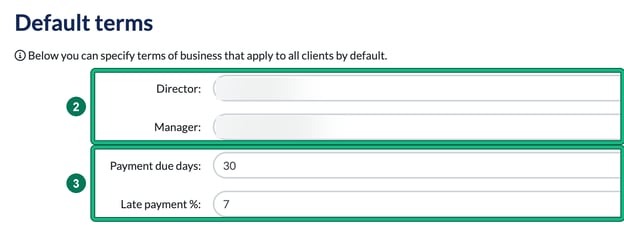
Set up your default terms
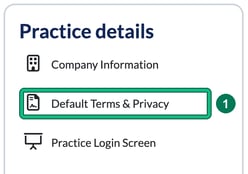
- Go to Settings > Practice details and select Default Terms & Privacy. This opens Default terms, where you can specify terms of business that apply to all clients by default.
- Choose your default director or partner in Director:, and your default manager in Manager:.
- Set your payment terms in Payment due days: and Late payment %:.
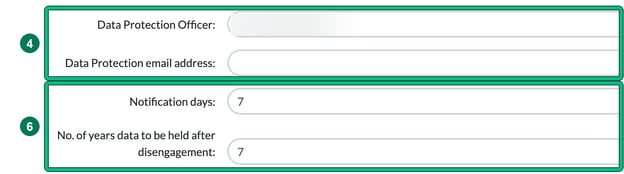
- Set your data protection officer in Data Protection Officer:.
- Enter the email address in Data Protection email address:.
- In Notification days:, enter the number of days your policy gives to respond to data protection requests. I would give yourself plenty of time for these, probably 30 days! Then enter the number of years you store data in No. of years data to be held after disengagement:.
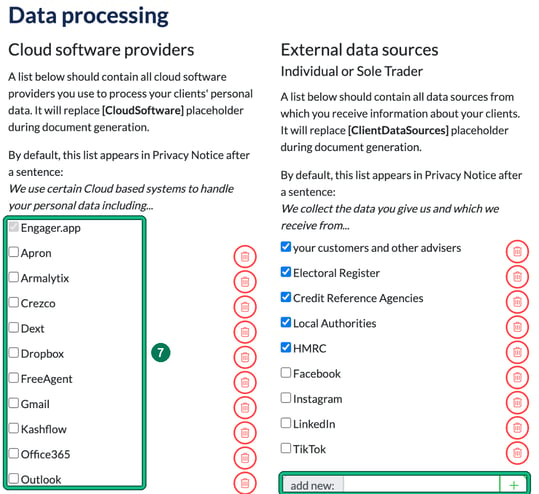
- Under Data processing, select all the software and places you use, so that the privacy policy reflects the correct software. Tick each one you use in Cloud software providers (this list replaces the [CloudSoftware] placeholder in your Privacy Notice). Then do the same in External data sources, which has one list for Individual or Sole Trader clients and one for other types of clients, and replaces the [ClientDataSources] placeholder.
- If something you use isn’t on a list, type it in the add new: box under that list and select + to add it.
- Select Save at the bottom of the page.