
We've introduced a new option for helping best manage your Limited clients: you now have the option to indicate that the company is Limited by Guarantee, instead of Limited by Shares.
How to do this
- Go to Clients and select + new client.
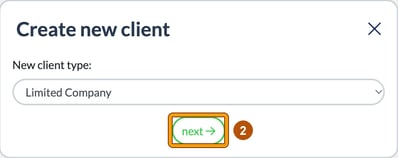
- Choose Limited Company as the New client type: and select next.
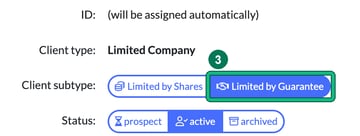
- On General info, you can now switch the Client subtype: from the standard Limited by Shares to Limited by Guarantee.
For a new client, you can save once you've completed all the steps.
Change an existing client
You can retrospectively change your Limited by Shares clients to Limited by Guarantee to update your records. Open the client, edit General info, change the Client subtype: and select Save.