
This is usually caused by a declined subscription payment, for example insufficient funds for the payment method Engager has on file.
Check your billing area for an outstanding invoice and select Pay now. Access is restored once the payment goes through.
Finding your billing area
Select your name in the top right, then Subscription & invoices. You can also get there from Settings > Application > Subscription. Past payments are listed under Purchase history.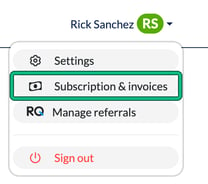
While you're there, check the Current subscription plan card. It shows your expiry date and whether auto renewal is on. If it says Auto renewal disabled, there's an enable link next to it.