
Typical login issues
- Incorrect email: check their email versus what you have stored in Engager (see below for more detail).
- Portal: are they logging into the correct domain? Remember, it's YOURCOMPANYNAME.PORTAL.engager.app, it's the all important 'portal' element. You can copy your own portal address from Settings > Portal > General settings.
- Junk / Spam: they're receiving the password resets here but they're not checking.
- Active client? They could be marked as a Prospect or Archived.
- Anything else, please get in touch: contact@engager.app
Incorrect email issue
If your client struggles to log in, they may get the error message “Unknown fetching error - code: 400”. It's a general message the portal can show for many kinds of failed request, so it doesn't pinpoint the cause on its own.
Start with two checks. Are they using the wrong email address? It should be the email you have saved against the client record in Engager. Or has the client not accepted and signed up for the portal? You can tell if the client is signed up to the portal by going to their record in Engager: on Step 10: Summary, the Client Portal box shows signed up, with disable and delete underneath.
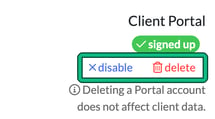
If they are signed up, using the right email and still unable to access the portal, then you should delete the portal using the delete link and then re-invite them. Engager asks you to confirm first. Deleting a Portal account does not affect client data.
Don't use disable for this. It switches their access off straight away (the link then becomes enable) but keeps the same login, so it doesn't reset anything.
Password reset
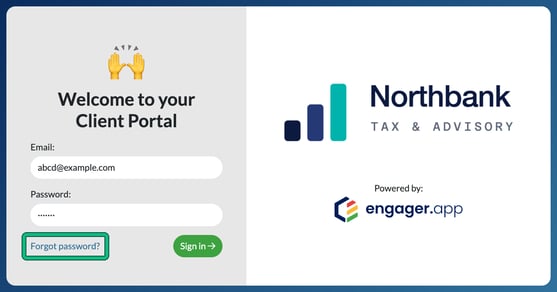
If they're struggling, they can reset their password from the login page by simply selecting Forgot password? under the Password field, next to Sign in.
Read more: How do I invite my client to their portal, reminding clients of their login details