
No. Granular permission controls are already included, not a separate paid module.
Permissions apply to users with the USER access level. Users with ADMIN access have all permissions by default.
How to set a user's permissions
- Go to Settings and, under Staff, select System users.
- Select the pencil icon (edit user) in the Actions column for the user. This opens Edit user.
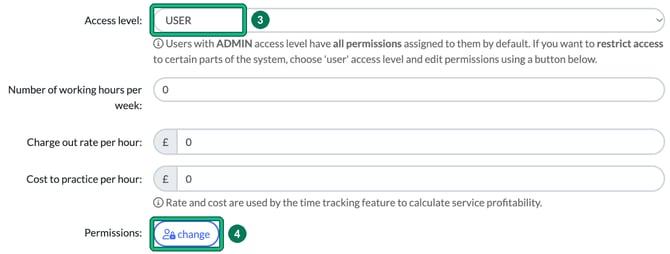
- Set Access level: to USER.
- Next to Permissions:, select change. In Change permissions, allow or deny what the user can do in each area (or use deny all, allow all or copy from another user), then select Confirm.
- Select Save in Edit user. Your permission changes aren't saved until you do.
Hiding whole modules
To hide entire areas of Engager, such as Deals, Time logs or Invoicing, use Settings > Staff > Module access instead. See Module access: choose which parts of Engager each user can see.