
We have provided a whole host of company secretarial documents for you to customise and use. We're hoping to build a full feature for these at some stage, along with Companies House filing.
In advance of this, we thought 'why not provide these documents for you guys to use'. So we've done this and done so via the PDF mechanism so it picks up all of your branding etc and has a professional look and feel.
Create a Dividend Voucher
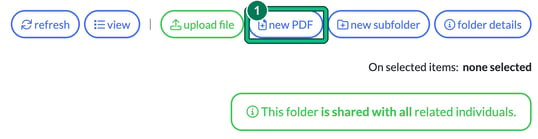
- Locate the client in question, as you have to build these at the client level. Then select Files and choose a folder that you'd like the Dividend Voucher to land in, so the Correspondence folder could be a good one here. When you select the folder, you'll see new options appear in the upper right-hand side of the screen. Select new PDF. This opens New PDF from template.
- Select Dividend Voucher or your desired company sec document from the Append template contents below: dropdown and then insert contents.
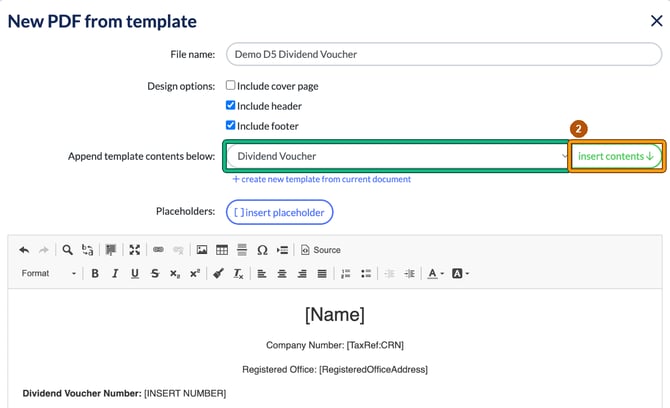
It will then populate the template for you to then go through and insert the relevant details for the client. The template contains two kinds of brackets:
- Placeholders such as [Name], [TaxRef:CRN] and [RegisteredOfficeAddress], which Engager fills in with the client's details when the PDF is generated.
- Prompts such as [INSERT NUMBER], [Final/Interim], [SHAREHOLDER NAME] and [DIVIDEND PAYABLE], which you must replace yourself.
Please note: replace every prompt one by one, and delete its brackets, otherwise you'll receive errors. If any are left when you select generate PDF, you'll see "Unsupported placeholders found", listing the ones still to replace, and the PDF won't be generated.
Then select generate PDF. Check the Generated PDF preview (select back to editing if you need to change anything), then select save PDF.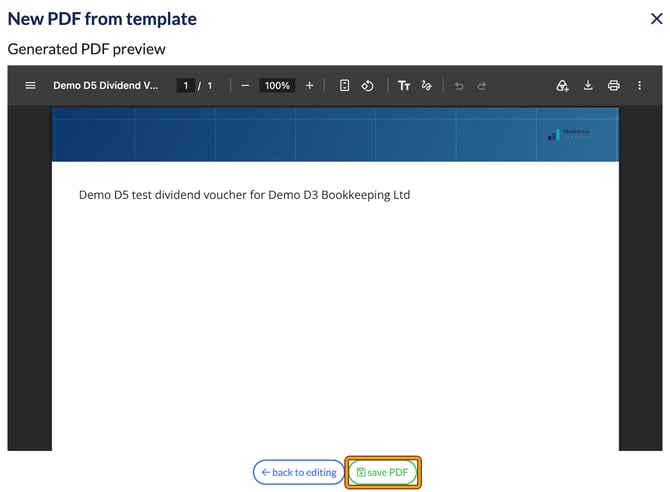
Then you'll have an option to notify the client also: select Yes to email them about the document, or No. The PDF is saved in the folder you chose.