
There may be times when you need to permanently remove a client or contact from your Engager account. This guide walks you through how to safely delete a client.
⚠️ Important: Once a client is deleted, the action is permanent and the data cannot be recovered. Please double-check before proceeding.
Steps to Delete a Client
1. Navigate to Clients
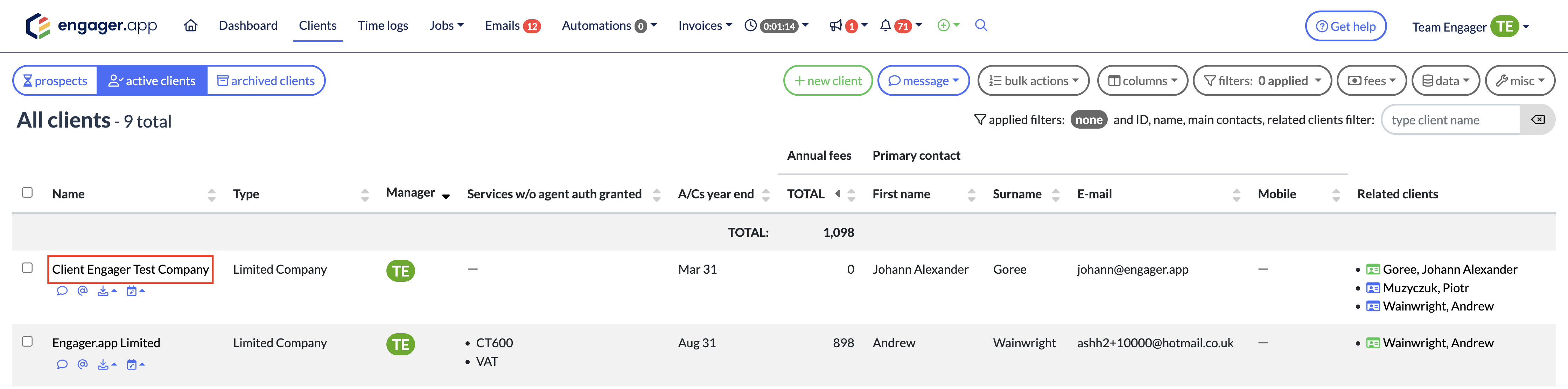
Head to the top menu and click on Clients.

2. Select the Client or Contact
Click on the client or contact you wish to delete from your client list.
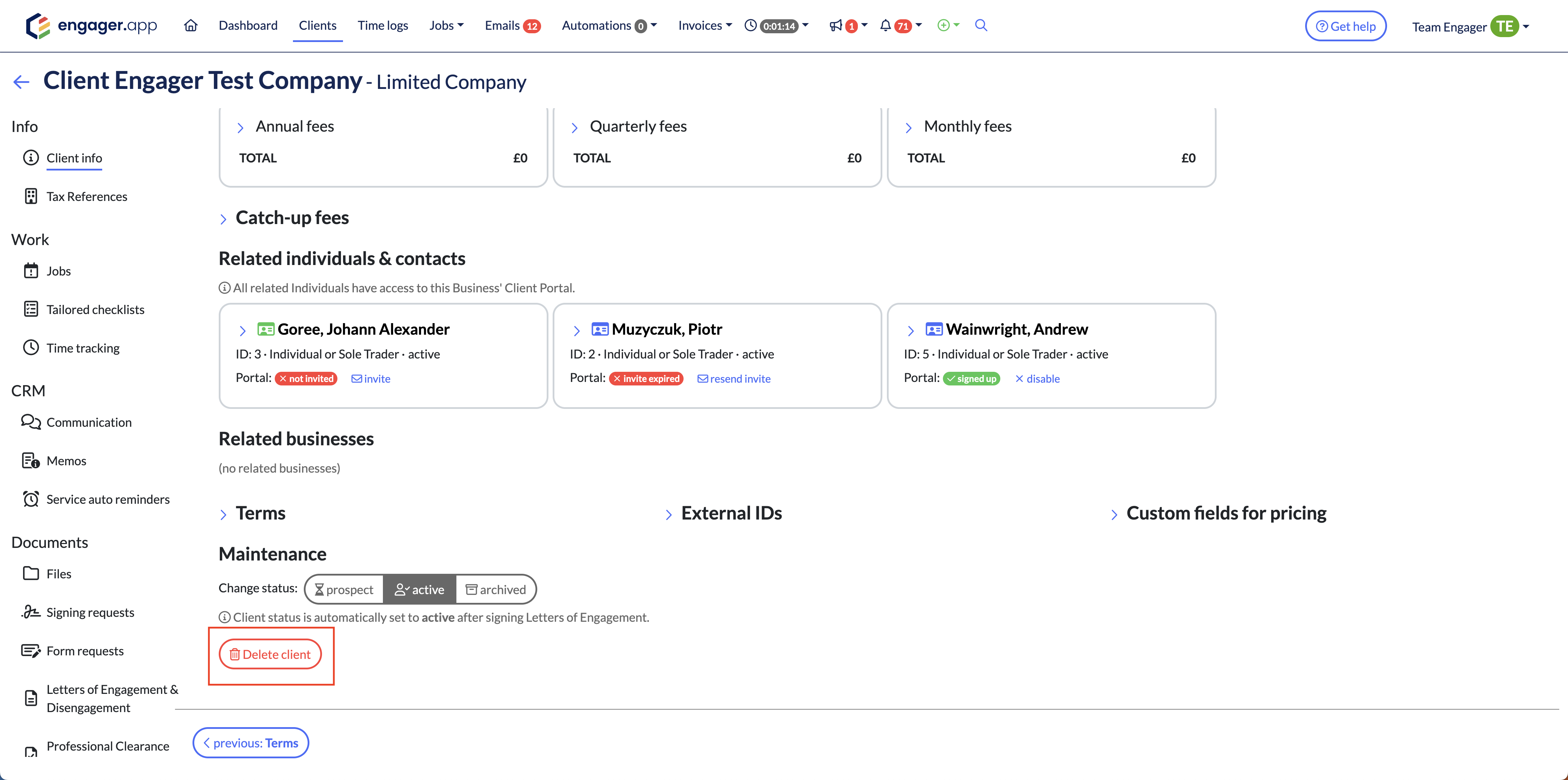
3. Scroll Down to the Bottom of the Page
At the bottom of the client profile page, you’ll find a red Delete Client button.
4. Confirm Deletion
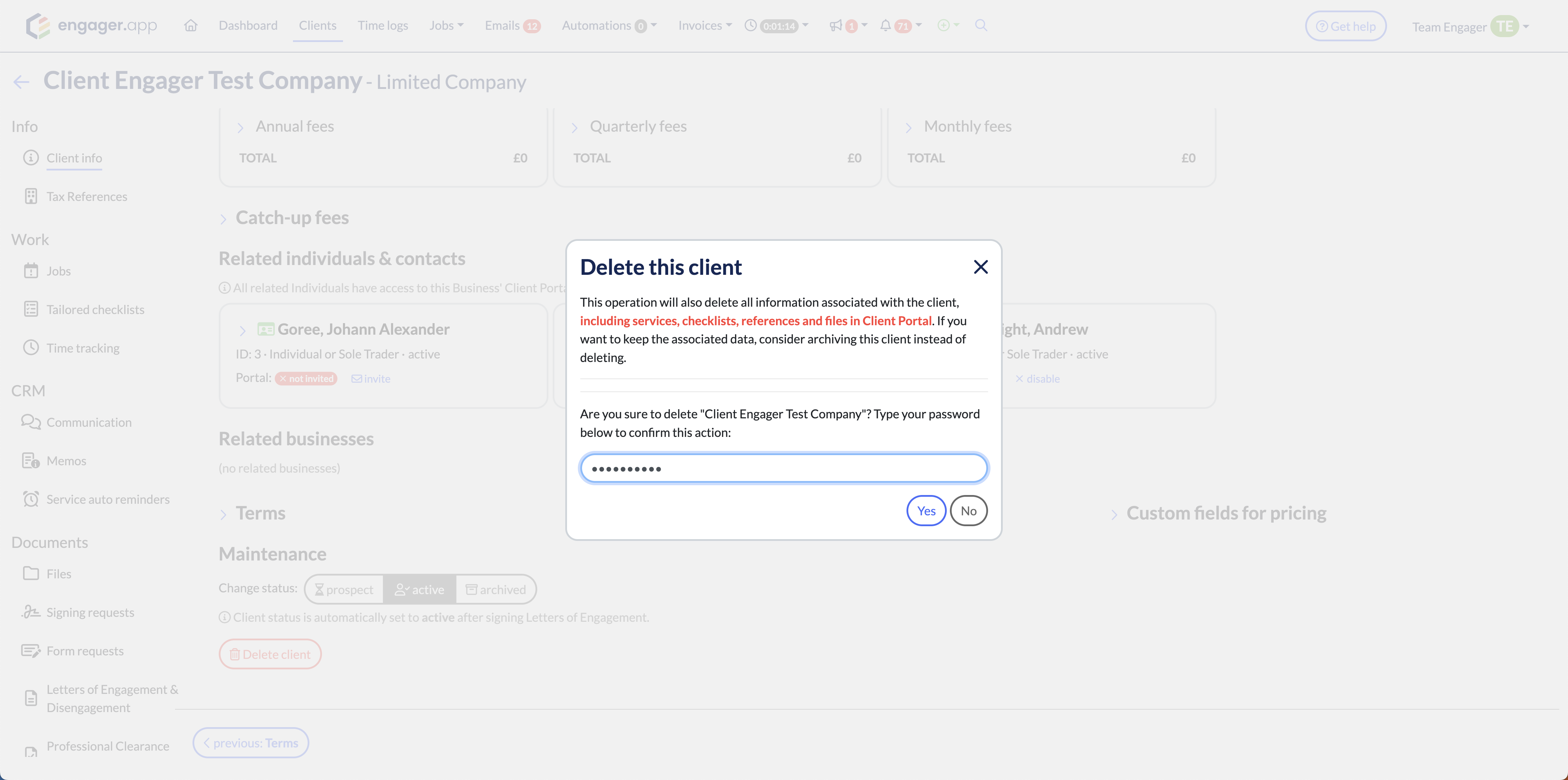
After clicking the button, you’ll be prompted to enter your password to confirm the deletion.
Once entered, click Yes to proceed.
5. Client Permanently Deleted
The client will be immediately removed from your Engager account and cannot be restored.
💡 Need Help?
If you're unsure whether to delete a client or need help recovering lost data, contact our team at contact@engager.app before proceeding.