
Charge-out rates are set per user, not per role. To give one staff member a different rate, either create a dedicated user with that rate or override the rate on a time log with the advanced form.
Set a user's rate
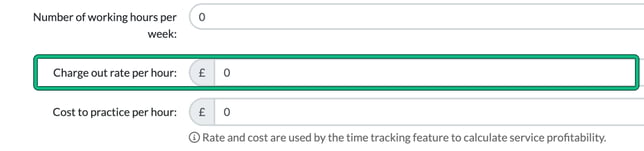
Go to Settings > Staff > System users, select the pencil icon for the user, and set Charge out rate per hour: in Edit user. User roles hold only role names, not rates.
Override the rate on one time log
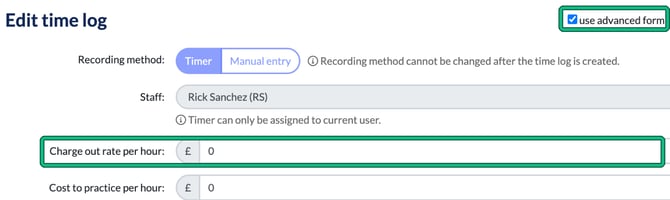
In the time log window (Time logs, then edit a log or select + new time log), tick use advanced form. This adds Charge out rate per hour: and Cost to practice per hour: for that time log.
Seeing other people's time logs
Restricting a user so they can't see other people's time logs isn't currently possible. The Time logs permissions cover creating, editing and deleting logs, not viewing them. You can, however, control whether a user sees rates: the User permissions include "View charge-out rates of all users" and "View cost to practice rates of all users" (USER access level).
There's an open feature request for restricting time log visibility. To add your support, use Need help? > Tell us what to build next > Suggest ideas.