
Delete the rejected signing request from the client's Signing requests page. It then drops out of the Document Signing Requests widget on your dashboard.
You can't delete it from the widget itself. Selecting the rejected count opens a list of the rejected requests, which has a Show: filter and an export button, but no delete button.

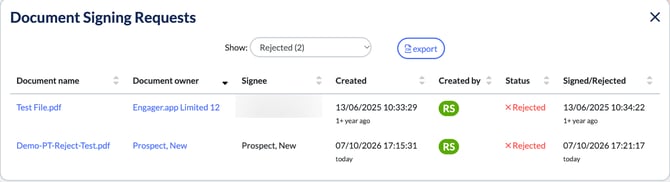
How to delete a rejected request
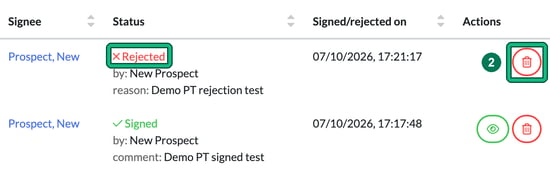
- Open the client and select Documents > Signing requests. A rejected request shows a red Rejected status, who rejected it ("by:"), their reason and the date.
- Select the red bin in the Actions column of the rejected request.
- In Confirmation needed ("Are you sure to delete this signing request?"), select Yes.
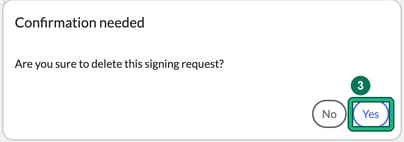
You'll see "Request deleted successfully", and the rejected count on the Document Signing Requests widget goes down by one. Only the signing request is deleted: the document itself stays in the client's folder.