
These are controlled in two separate places: a display option on your Clients list, and the Details section of the Adfin integration.
Change the name format in your client list
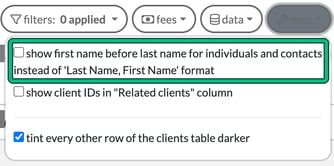
On the Clients list, open the misc menu and tick show first name before last name for individuals and contacts instead of 'Last Name, First Name' format.
Change the name Adfin uses
The greeting Adfin uses on payment requests is configured separately.
- Go to Settings > Integrations > Adfin.
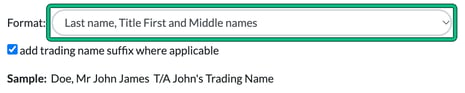
- Under Details, choose how an individual or sole trader client's name is saved in Adfin from the Format: drop-down. You can also tick add trading name suffix where applicable. The Sample: line shows the result.
- Select Save.
- Open each client linked to Adfin and save it, so its name is updated in Adfin.