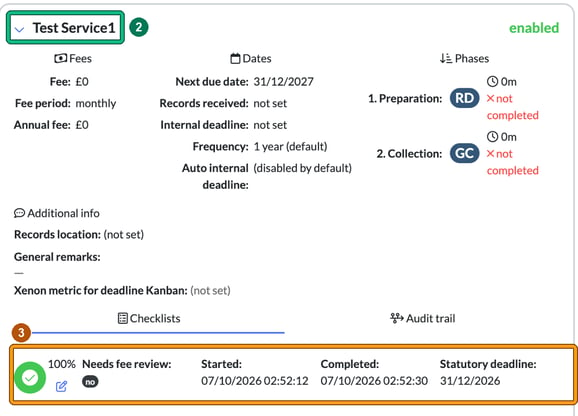
Completed checklists and the audit trail for each service are on the client's record, under Active services. Expand the service and you'll find its Checklists and Audit trail tabs.
Find the checklists and audit trail for a service
- Go to the client by selecting their name under Clients. The record opens on Client info. Scroll down the same page to Active services.
- Expand the required service with the blue chevron next to its name. This shows the service's Fees, Dates, Phases and Additional info, with the Checklists and Audit trail tabs underneath.
- On the Checklists tab you can see each checklist for the service and whether it is completed or in progress. Each one shows its percentage complete, Needs fee review:, Started:, Completed: and Statutory deadline:. If nothing has been done yet, you'll see "(no checklists for this service yet)".
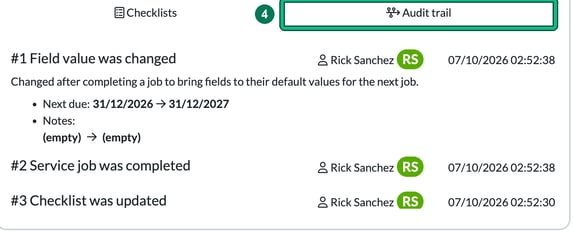
- Select the Audit trail tab. This is where you find your audit trail: changes to the service are numbered and listed with the user and the date and time, for example a field value being changed, a service job being completed or a checklist being updated.