
'Emails show either Forename or hello@ instead of my company name'
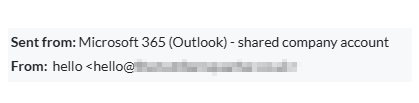
The name your clients see comes from your Gmail or Microsoft 365 mailbox, not from Engager. Engager has no sender display name setting for email, so change it with your email provider.
With Engager, we do our best to ensure that everything mirrors your existing practice, and that includes emails and how they're displayed to your end-client.
We've realised that there's a quirk of Gmail and Microsoft 365 that means it will only display your Forename, when the emails are created in Engager and pushed out via Gmail / Microsoft 365.
In Gmail, when using an API, they only send out using your Forename rather than your full name and for some, this isn't ideal and we don't have a workaround for this. To explain, we simply create the email as you see it, then push through an API to Gmail / Microsoft 365 and it then picks up those settings before it hits the end customer.
How to change it
- Gmail: change the name in Gmail's own settings, then re-authorise the mailbox in Engager. The steps are in How to Set a 'Display Name' in Gmail for Engager Integration.
- Microsoft 365: check the 'Send As' settings for the mailbox in Microsoft 365.