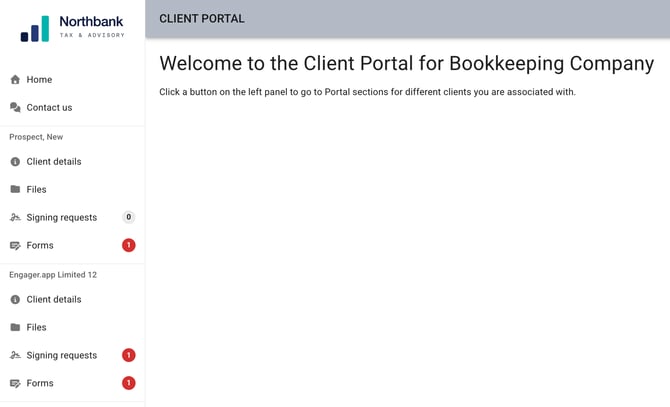
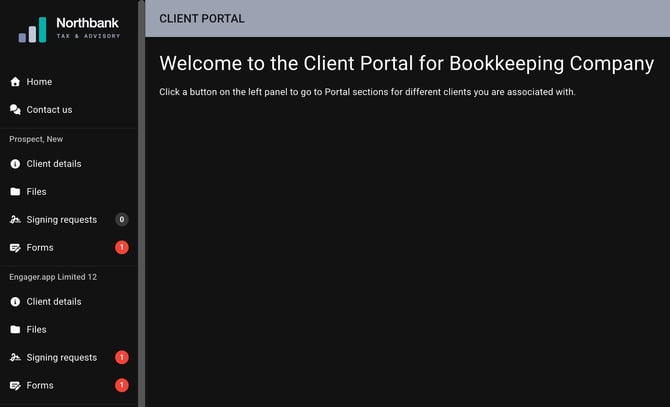
We've launched a new improvement to your Client's Portal screen: welcome to Dark Mode.
Why Dark Mode is useful
- Reduced Eye Strain and Glare: In dim environments, a bright white screen can cause harsh contrast, leading to eye fatigue, headaches, or blurred vision. Dark mode minimises this glare, making it easier for eyes to adjust.
- Battery Savings (OLED Screens): Devices with OLED or AMOLED screens (like modern smartphones) benefit from significant battery savings in dark mode. Because pixels are turned off or lit less, they consume less power when displaying black or dark colours.
- Improved Sleep Quality: Dark mode reduces the amount of blue light emitted by screens. Blue light is known to interfere with circadian rhythms and suppress melatonin production; using dark mode in the evening can help you sleep better.
- Accessibility: For users with light sensitivity or photophobia, dark mode provides a less jarring, more comfortable viewing experience.
- Aesthetic Preference: Many users prefer the modern, sleek look of dark mode, and it is often considered visually appealing.
Please note that this is for the Client Portal only right now.
How does this work
The dark mode is activated for clients that have 'dark mode' set up on their browsers, so we'll follow their overall browsing preference, to ensure a smoother, more tailored approach to their browsing preferences.
Here's the Client Portal home in light mode, and the same page in dark mode: