
If you get any issues like this, your first port of call will be your settings along with the error message received. You'd be surprised how helpful these can be!
Check your settings
- Company Information: make sure you review the Email: field in Settings > Practice details > Company Information.
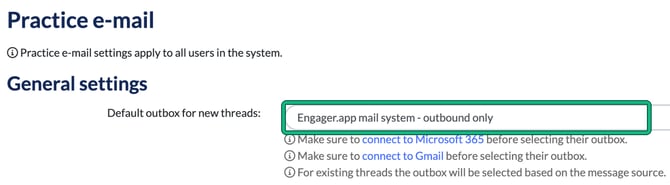
- Communication: in Settings > Communication > Practice email, check through the settings there. In particular, check Default outbox for new threads:. If it's set to a Microsoft 365 or Gmail outbox, that mailbox must be connected under Integrations before you select it.
- Integrations: so if you're using Google or Microsoft 365, Settings > Integrations > Google or Settings > Integrations > Microsoft 365 is the place to check. Each has a Personal company mailbox and a Shared company mailbox. Make sure that the integration is actually authorised for a start. If it isn't, you'll see a red notice that the feature is currently disabled.
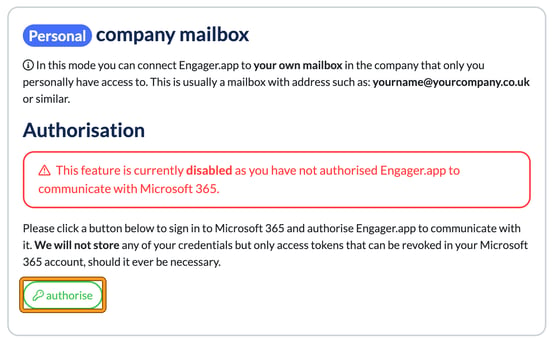
Authorise or re-authorise
If it hasn't been authorised, go ahead and do so with authorise.
If it has, REVOKE access, then re-authorise and try sending the email again. If that doesn't fix it, contact support at contact@engager.app.
Still stuck?
If you have any further issues, please send us a screenshot and describe the actions taken: contact@engager.app