
Yes. To move files from one folder to another, open the folder the file is currently in, tick the file/s you want to move, select move items, choose the new folder and select confirm.
How to move files
- To access files, head to your desired client and once selected, look for Documents > Files in the left-hand menu. This opens the File browser.
- Open the folder the file is currently in, then use the TICK BOX next to the file required. Inside a folder every file has a tick box already, so there's no need to start selecting first.
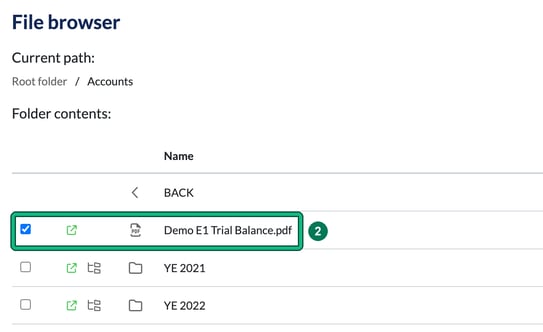
- Then select move items.

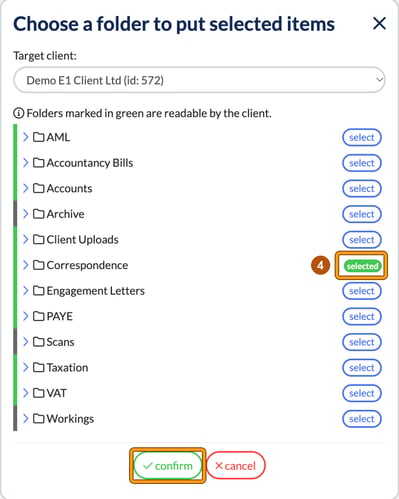
- A window, Choose a folder to put selected items, lists the folders for that client. Select your new destination with select (it turns into a green selected), then confirm. Folders marked in green are readable by the client. Target client: defaults to the current client.
Your file has been moved. You'll see the message "Elements moved successfully".