No, Companies House deadlines can only be linked to Engager's built-in services, not services you've created yourself.
In Settings > Jobs > Services, a built-in service such as Limited Company Accounts shows its Period end: as "(hard-coded for this service)". On a custom service, you set Period end: in years, months and days before the statutory deadline, and Default frequency: as how often the deadline occurs.

Set a deadline for a custom service in bulk
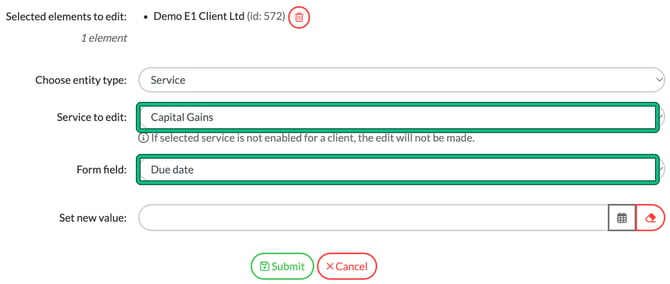
You can still set a default deadline for a custom service across many clients at once. Enable the service first, either in the client record (Step 5: Services & pricing) or in bulk with the Enabled / On hold / Disabled form field below. The edit is only made for clients where the service is enabled.
- Go to Clients and tick the clients you want to update.
- Select bulk actions > Edit client or service data.
- In Bulk editing, set Choose entity type: to Service, then choose your custom service in Service to edit:.
- Set Form field: to Due date (or Frequency), enter the value in Set new value:, then select Submit.