
Not directly. The due date filter looks at the internal or statutory deadline, not the period end date.
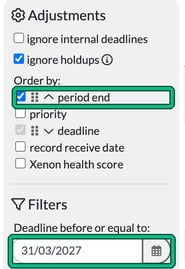
In Jobs, the filter is under Filters (shown as Deadline before or equal to: when it's set to a fixed date). To use the statutory deadline instead of the internal one, tick ignore internal deadlines under Adjustments.
Choose how the deadline filter works
Go to Settings > Jobs > General settings. Under Deadline filter, choose whether this filter shows as a number of days forward ('Days forward') or a fixed deadline date ('Deadline before or equal to').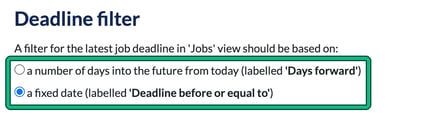
Show older periods first
To see older periods first, sort your job list by period end with the oldest periods at the top instead.
- In Jobs, go to Adjustments > Order by: and tick period end.
- Drag period end by its handle above deadline. Otherwise it only sorts jobs within the same deadline.
This will not exclude future period ends automatically, but it puts them at the bottom of the list.