
No. The internal deadline doesn't move automatically when the job status changes; no setting ties it to a job status.
You can change it yourself, though:
- On the job: in the job window, select the Internal deadline: date to change or delete it.

- For many clients at once: go to Clients > bulk actions > Edit client or service data and choose Internal deadline - exact date or Internal deadline - in relation to current due date as the Form field:.
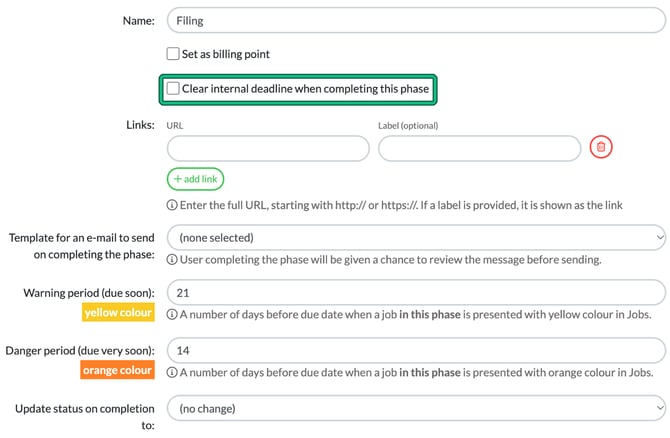
- When a phase is completed: in the service's phase settings (Settings > Jobs > Services, pencil icon), tick Clear internal deadline when completing this phase. A phase can clear the internal deadline but can't set a new one.
If you would like deadlines to move based on job status, such as when records are received, add your support to the existing feature request instead of raising a new one, using Need help? > Tell us what to build next > Suggest ideas.