In Engager, you have your clients broken down into their entities, LTD / Sole Trader / Individual / Director etc.
There will be times when you need to add somebody within a company as a Contact Only. You should only use Contact Only when you provide ZERO services to this individual, other than AML due diligence. A Contact Only client doesn't use a slot in your subscription, but it can't have any services.
An example would be say, an LTD with 2 Directors. Director A handles all affairs, all signing requests and you provide them with a yearly SATR. Director B however, is completely silent and has no day to day dealings with the company, and you don't provide them with a SATR.
You still need their information in case you do need to contact them but most importantly, for AML checks and CS01 etc.
Add them as a standalone contact
You can add them as a standalone contact, then link them to the LTD / Charity etc.
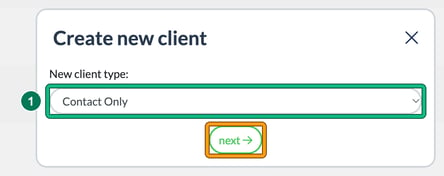
- Go to Clients and select + new client. In New client type:, choose Contact Only, then select next.
- Fill in General info. Client type: is already set to Contact Only.

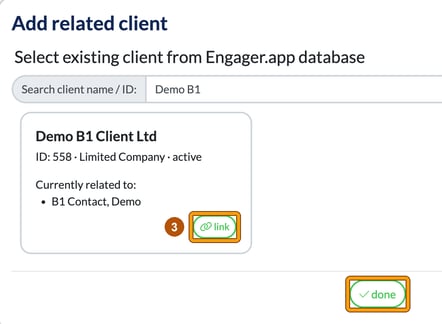
- Work through the steps to Related businesses and select + add. In Add related client, search for the company in Search client name / ID:, select link on its card, then select done.
- Complete the remaining steps (External systems, Terms and Summary) to finish adding the contact.
The Related businesses step notes that the individual has access to the Client Portals of all related businesses.
Add them when you add the company (recommended)
Or what we'd recommend, is to do this when adding in the LTD, as 'related individuals', and use the Companies House link to save time and ensure accuracy. See Adding a new Ltd, CIC or LLP.
- On the company's Related individuals & contacts step, select + add. This opens Add related individual.
- Choose use officers imported from Companies House. You can then select them from the list. If they're not there, use find existing individual in Engager.app database or + create new individual manually.
- Just make sure to mark them as 'contact only': on their card, set Type: to Contact only.
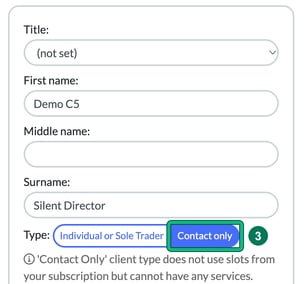
The Related individuals & contacts step notes that all related individuals have access to the business's Client Portal.
Can a Contact Only person use the Client Portal?
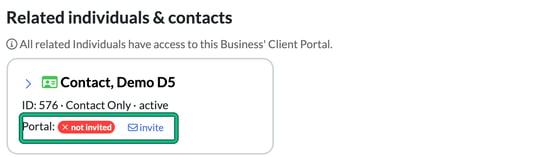
Yes. Once they're linked, a Contact Only person is listed under the company's Related individuals & contacts with Portal: not invited and an invite link, so you can invite them to the business's Client Portal like any other related individual.