
The usual cause of this error is a stray space in a reference, credential or postcode. Remove the space and try again.
64-8 error message
'The user that is signed in cannot access this authorisation request. Their details do not match the agent business that created the authorisation request'
We're seeing many people have this message appear. Essentially, there could be a rogue gap somewhere in a reference, credential, postcode etc. Please do not COPY AND PASTE any codes.
Check your agent reference for spaces
There should be no spaces in the agent reference. It's the LLLLNNNNNNN format (four letters followed by seven numbers), and it cannot have spaces before, in or after it.
Removing spaces has cleared 99% of error messages.
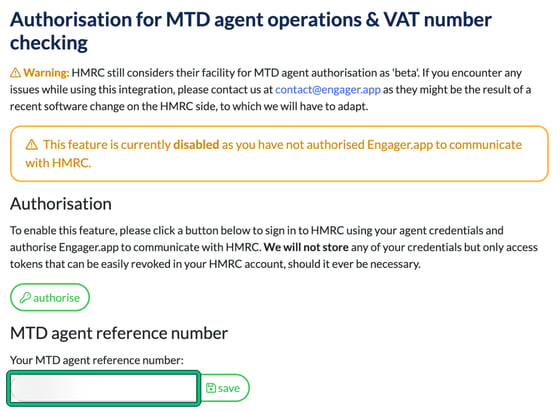
- Go to Settings > Integrations > HMRC.
- Under MTD agent reference number, check Your MTD agent reference number: for spaces before, in or after the reference. Type it again if you need to, rather than pasting it, then select save.
HMRC still treats its MTD agent authorisation facility as 'beta'. If you still see the error, contact us at contact@engager.app.