
You can use the templates below to bulk update the agent authorisation status for MTD VAT and MTD IT within Engager.
Download the templates
- MTD VAT 64-8 bulk update template (CSV), with the column heading VAT Registration Number
- MTD IT 64-8 bulk update template (CSV), with the column heading UTR
Please note
You can't change the column headings. If the required heading is missing or changed, the upload fails with Error processing file: "CSV file does not contain the required column: VAT Registration Number" (or UTR for MTD IT).
How to use the templates
- Go to Settings > Integrations > HMRC, select Import agent authorisation state in bulk, then Start the process.
- Under Step 1: Authorisation type selection, choose VAT or MTD-IT.
- Fill the VAT Registration Number or UTR column with the references of clients who have authorised you as an agent. Engager uses these values to find the clients in your database.
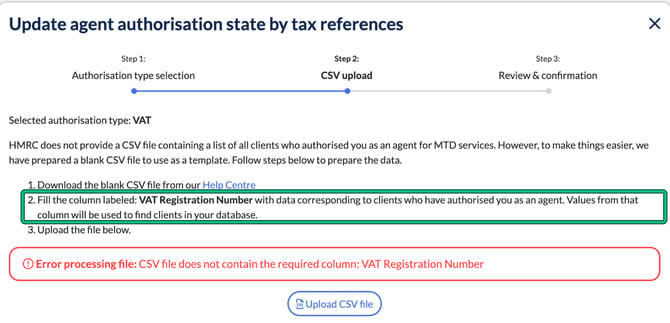
- Under Step 2: CSV upload, select Upload CSV file and choose your file.
- Check the results under Step 3: Review & confirmation.
For the full process, read How to download HMRC client data for agent 64-8 and bulk update within Engager.
If you need help with importing, get in touch using: contact@engager.app