
Ready to tailor your documents?
In this section, we want you to get comfortable with our handy document templates and be able to customise these to your practice’s preference. Think of a document as anything from a Professional Clearance Letter, Letter of Engagement or Schedule of Services.
You can use your existing documentation if you prefer, create brand new with your own wording, tone of voice to help manage your client bank or edit our existing templates.
What placeholders do
We have handy ‘placeholders’ available throughout the system that act as mail merges for including in your documentation.
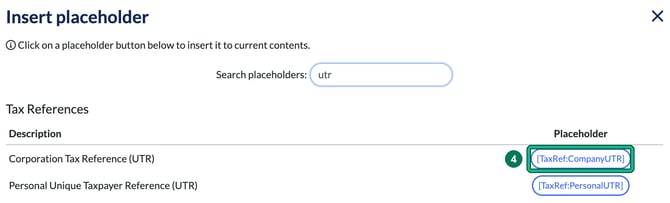
Example: using the placeholder [TaxRef:CompanyUTR] will pull through the Corporation Tax UTR that you’ve added to that specific client. For an individual’s UTR, use [TaxRef:PersonalUTR].
Edit a document template
You may want to reword a template slightly to suit your practice.
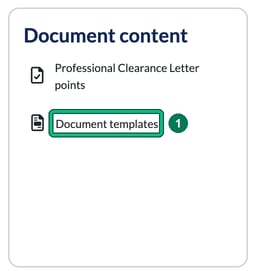
- Open the user menu at the top right and select Settings. Under Document content, select Document templates.
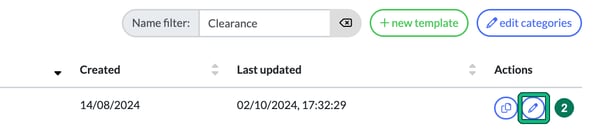
- Find the template you want and select the pencil icon (edit) in the Actions column. This opens Edit template. Use Name filter to narrow the list.
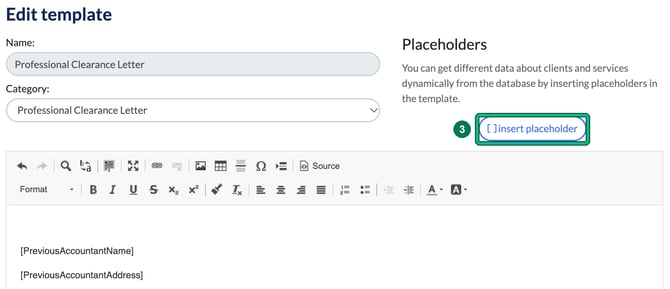
- Reword the template in the editor. To add client or service details, select [ ] insert placeholder.
- In Insert placeholder, use Search placeholders to find the one you need and select it to insert it into the template.
- Select Save at the bottom of Edit template. Cancel closes it without saving your changes.