
Bulk editing clients is a quick way to edit a group of clients details quickly and easily.
In this video we take a look at how it works and some use cases for the tool
Bulk Enabling Clients and their Services
Realistically for your LTDs, you’re going to be doing Year End, CS01, VAT and Self Assessments - let’s get these enabled asap
So, let’s start with the Year End service
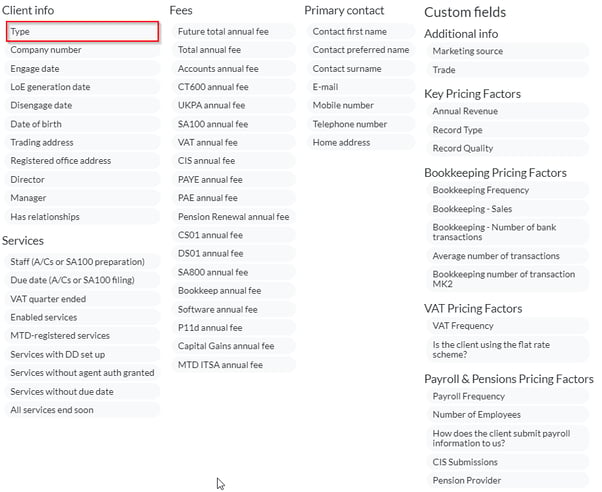
In the Client screen, filter to the LTDs by locating Filters then locating - TYPE
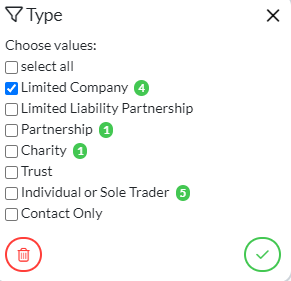
Select Limited Company which will then filter just your Limited Company clients
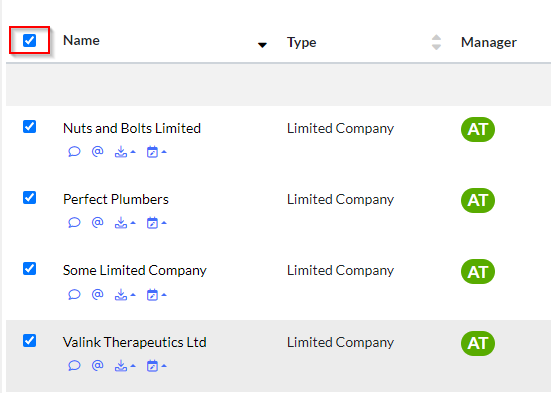
Select ALL
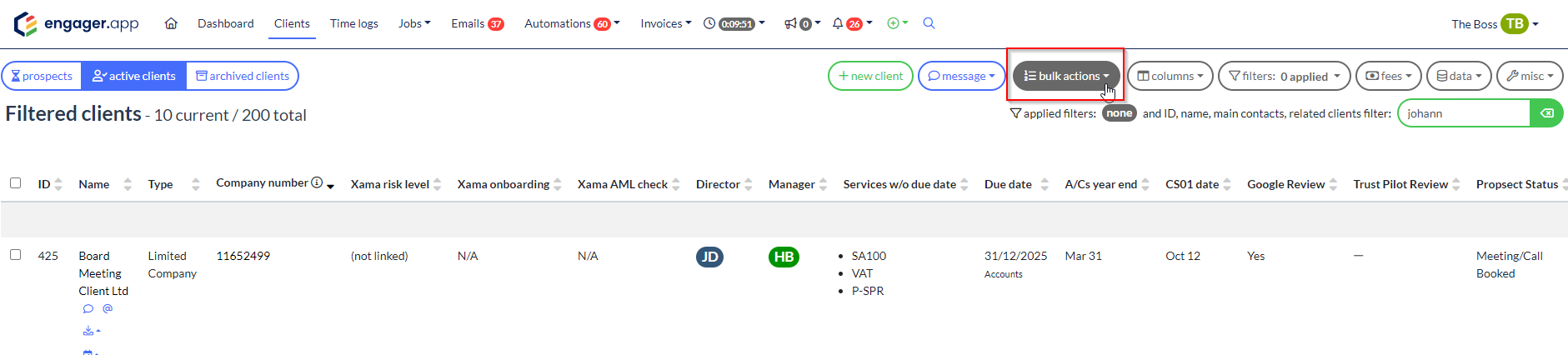
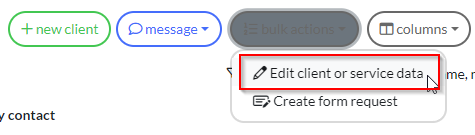
Select Bulk Actions - Edit Client or Service data - this going to give you access to an endless list of options
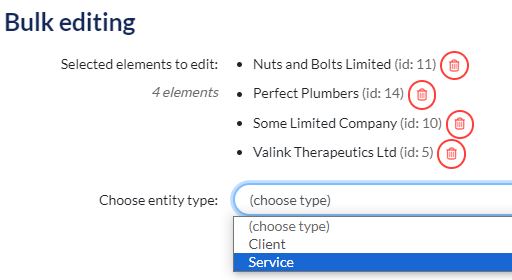
You’ll see your select clients, so then select Service from the dropdown
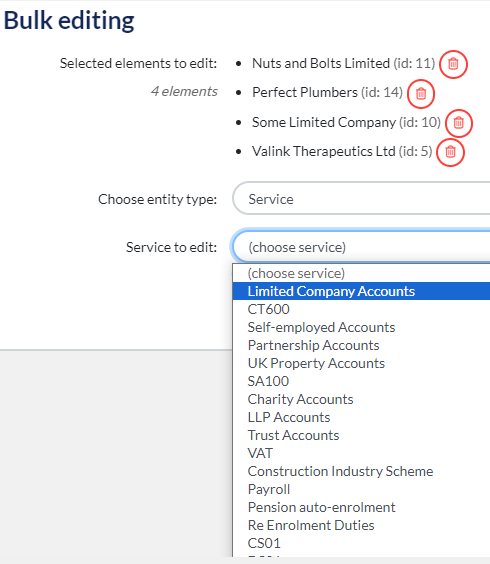
Select the Service in question, so Limited Company accounts as we’re enabled the Year End service
Select from from Form Field - Enabled - Then select ENABLED
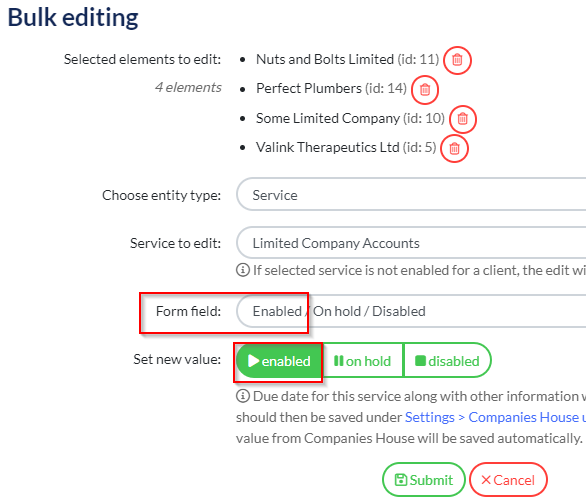
When up then select ‘Submit’ you’re enabled this service for all the select clients in bulk
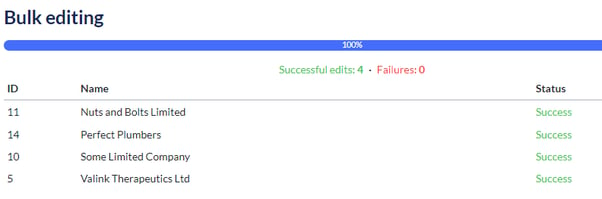
Congrats! You’ve now enabled all your Limited Company accounts with your Year End service
From here, you can rest up and allow the Companies House job to run overnight and then your dates and deadlines will magically appear in your account, in the morning.
Bulk Enabling VAT
That’s a quick and easy one, what about VAT Returns - lots of differentials at play like VAT end periods and due dates. Here, I would spend some time segmenting your clients into the VAT periods, then Bulk enable the service per quarterly schedule.
So start like this, back into Bulk Edit - this time Form Field is FREQUENCY - Default Frequency so every 3 months
But ENABLE the service first like before:
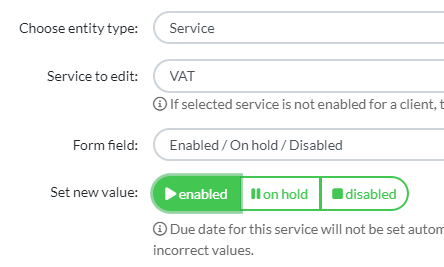
Once enabled
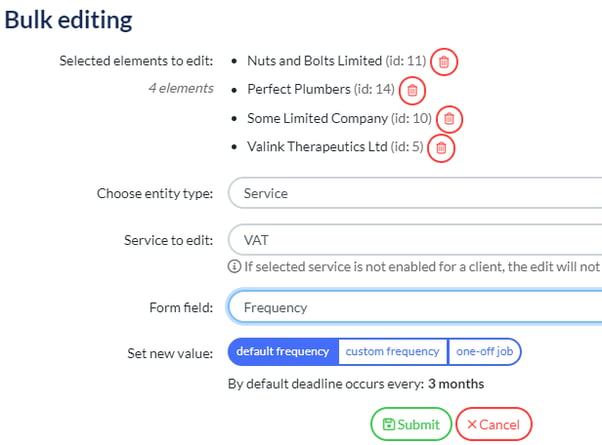
Obviously if you know they’re Yearly, don’t include them in this.
So know you’ve enabled the VAT service for these clients and explained that these clients are on the quarterly schedule - well what about DUE Dates for it to populate your deadline
Top Top
Be clever with your time, you don’t want to be doing this one by one, so this is where you will need to double back on yourself, check your original data set and and GROUP your clients by VAT Quarter Ended. Once you’ve grouped your clients by VAT frequency
From Clients, select your clients that share the same VAT Schedule, so those that have Jan / April / Jul / Oct
Once selected Bulk Actions - Form Field - VAT Quarter Ended - then the requisite schedule like the example below: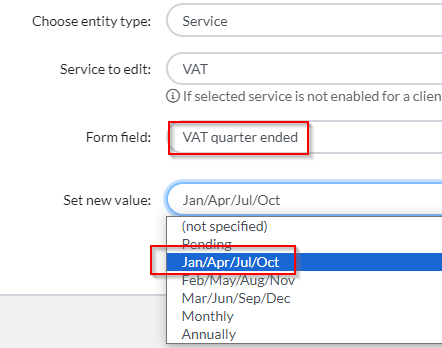
Once Submitted, you’ve now updated the deadline frequency for this sub set of clients that have VAT enabled
The deadlines and due dates will now start to populate your Engager account.
Spending time with the Import tool and Bulk Actions feature, is going to save hours overall and make for a much smoother experience overall
Thank you for reading!